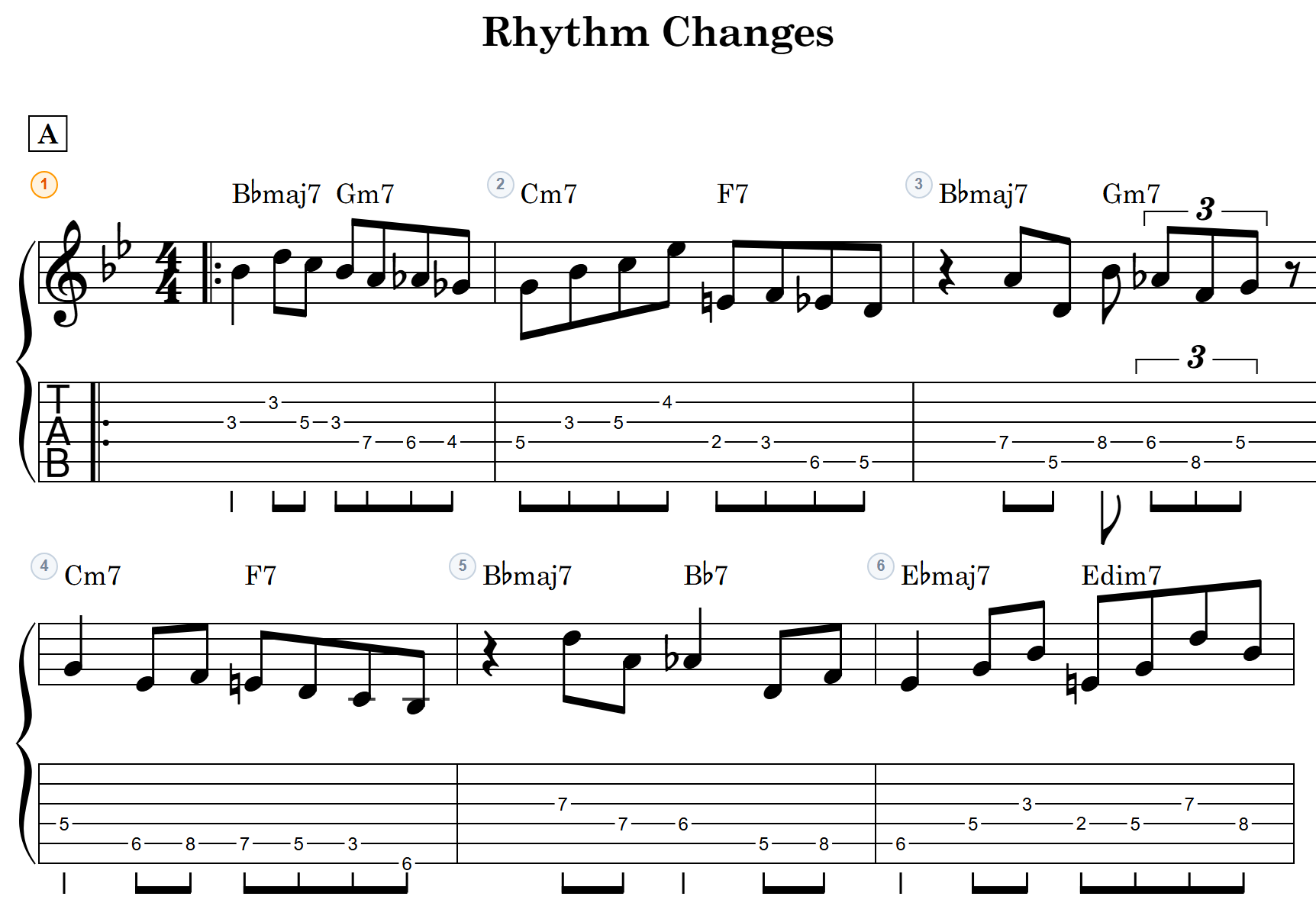
“I just want to jot down this chord progression before I forget it.” “I need a clean chord chart for tomorrow’s jam session.”
Sound familiar? Handwritten charts are hard to read, text-based tools are tedious to format, and full-blown notation software is overkill for a simple chord sheet.
In this article, we’ll introduce notave — a free web app that lets you create and print professional-looking chord charts right in your browser, with no installation or account required.
From input to print in minutes — on any device
What makes notave special is how effortless it is. No manuals to read, no software to learn. Just three steps to a clean, readable chord chart.
1. Pick chords from a panel — done
Tap the root note (C, D, E…) and chord type (maj7, m7, 7, etc.) from the panel at the bottom of the screen.
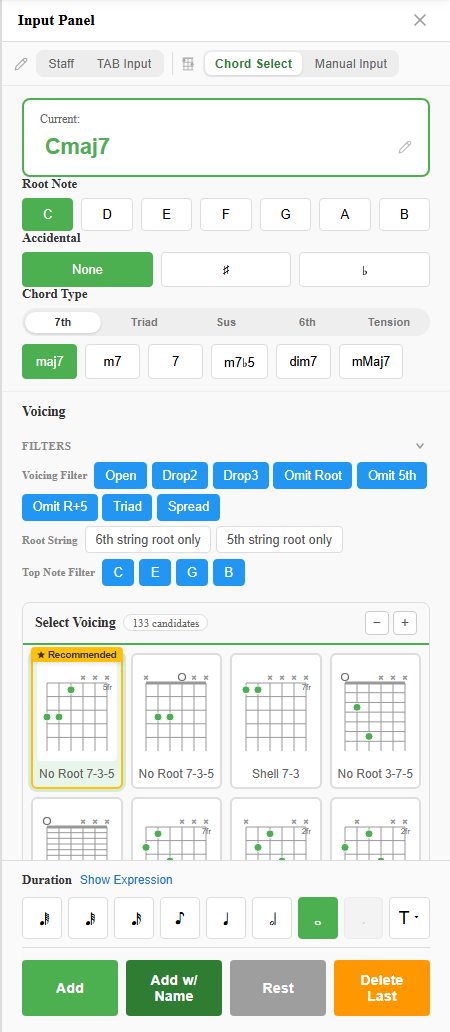
A progression like “Am7 → D7 → Gmaj7 → Cmaj7” takes just a few taps. No fiddling with cell widths in a spreadsheet or aligning text by hand.
2. Voicings are written out automatically
Unlike plain-text chord charts, notave automatically notates the voicing (fingering) for each chord on the TAB staff.
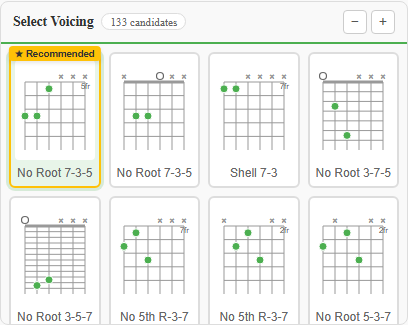
Not sure which Cmaj7 position flows best here? The app suggests a natural voicing based on the surrounding chords, so you don’t have to figure out fret numbers yourself.
3. Print to PDF — straight from the browser
Set the song title and tempo, then use your browser’s print function to save or print as a PDF.
You can adjust the number of measures per line, so your chart fits neatly on A4 paper with a layout that looks as clean as a published score. What used to mean rulers and hand-drawn staff lines now takes just a few minutes.
Note: Print output currently includes a watermark. Watermark-free printing is being opened up to everyone step by step.
Digital data means easy revisions
Paper charts are a pain to revise, but charts made in notave are saved as data (JSON format) that you can reload and edit anytime.
- “I want to swap this chord for a tension chord (like a 9th) and hear how it sounds.”
- “The band lineup changed — I need to tweak just the top note of this voicing.”
Just open your saved file, tap the spot you want to change, and you’re done. Your chart always stays clean.
Built-in playback for solo practice
notave doesn’t stop at printing. It can play back your chord progression right in the browser.
With the built-in metronome, you can place your printed chart on a music stand, hit play on notave from your phone, and practice along at your own pace — slowing the tempo down as needed.
Start free — turn your ideas into charts
notave requires no account to get started. Just visit the site and begin.
notave is free to use. A sheet holds up to 100 measures (8 while signed out), so it covers a quick A-section idea as well as a standard with an intro or two full choruses. Longer sheets, a higher cloud storage limit, and the other features that used to be paid-only are being opened up to everyone step by step (current status).
If you’ve ever struggled with messy handwritten charts or wished for an easier way to make clean sheet music, give notave a try in your browser.