
Clean guitar & bass TAB, right in your browser.
You don't need heavy software to write a quick TAB.
notave lets you create professional-quality TAB & standard notation with a simple, intuitive interface.
Playback, print, and video export — all in your browser.
From MIDI or MusicXML to playable TAB.
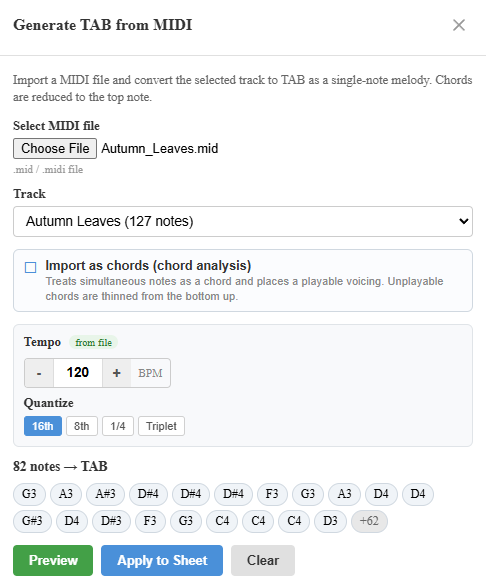
Drop in a MIDI or MusicXML file and notave generates guitar and bass TAB automatically. A phrase you programmed in your DAW, or a score you wrote in MuseScore or another notation app, gets mapped straight onto a fingering you can actually play. MusicXML brings across exact note lengths, chords, and chord symbols; MIDI auto-detects the tempo. Preview either before applying — no install, free to use.
No sign-up — conversion runs in your browser
Step-by-step guides: Convert MusicXML to TAB / Convert MIDI to TAB / Convert standard notation to TAB
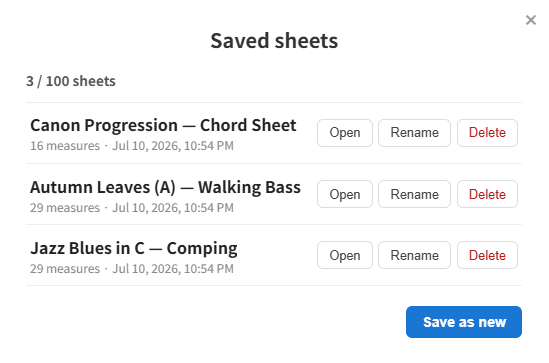
Save to the cloud. Pick up on any device.
Sheets normally live in your browser. Sign in, choose "Save to / open from cloud", and the sheet is tied to your account — start it on your desktop at home, then open it from a tablet at rehearsal or your phone on the go. Cloud sheets survive a new computer or cleared browser data. Each account currently stores up to 3 sheets, and that limit will be raised step by step.
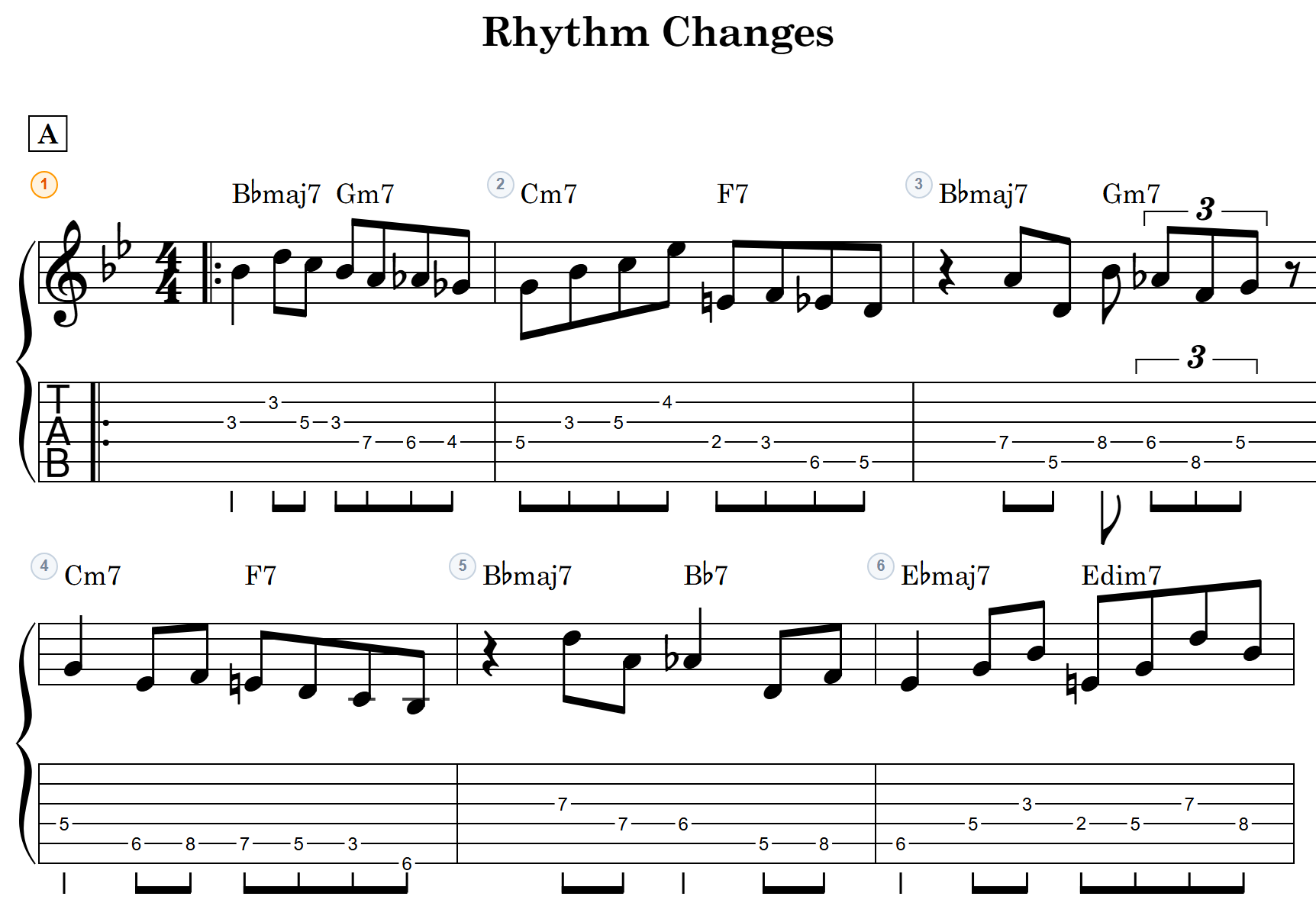
Professional-quality notation in real time
Seamlessly render standard notation and TAB simultaneously. Beyond time and key signatures, it covers repeat signs, volta brackets, D.S. al Coda, and more — letting you create professional-grade sheet music right in your browser.
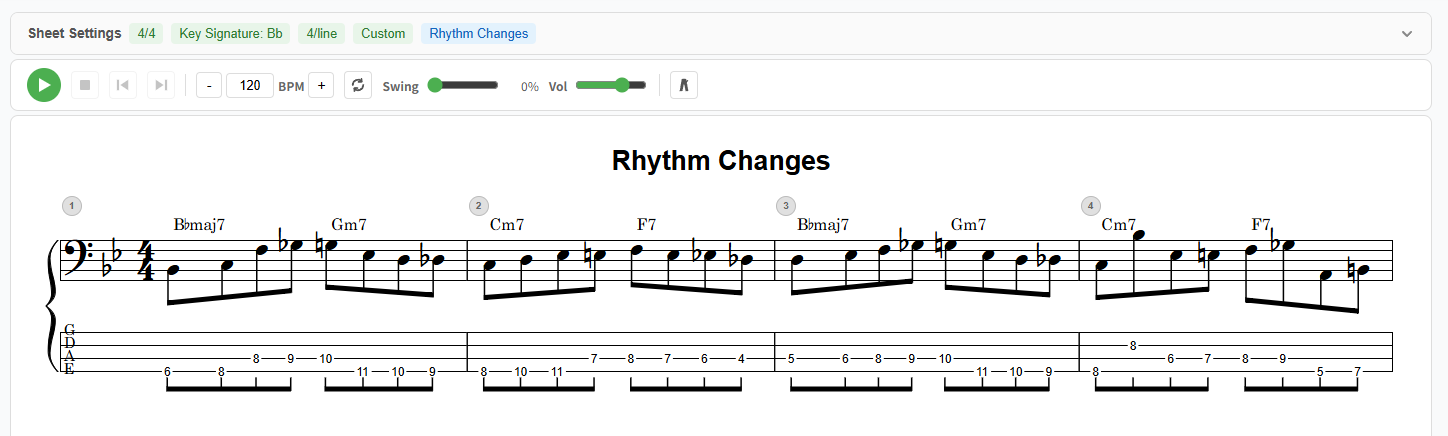
Guitar or bass — from 4 strings to 7.
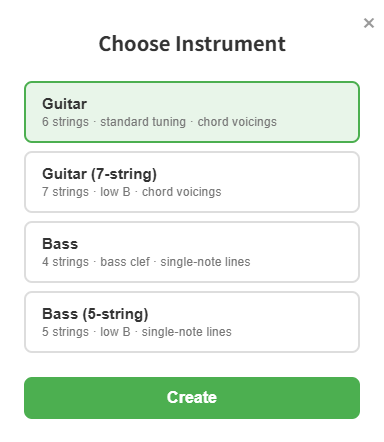
Pick your instrument and string count when you start a sheet. Guitar comes in 6 or 7 strings, bass in 4 or 5 — the 7-string guitar and 5-string bass reach down to a low B string. Bass is tuned for bass clef and single-note entry with a dedicated playback voice. Playback, print, video export, and share links — every feature works the same across all string counts.
From quick sketches to meticulous arrangements
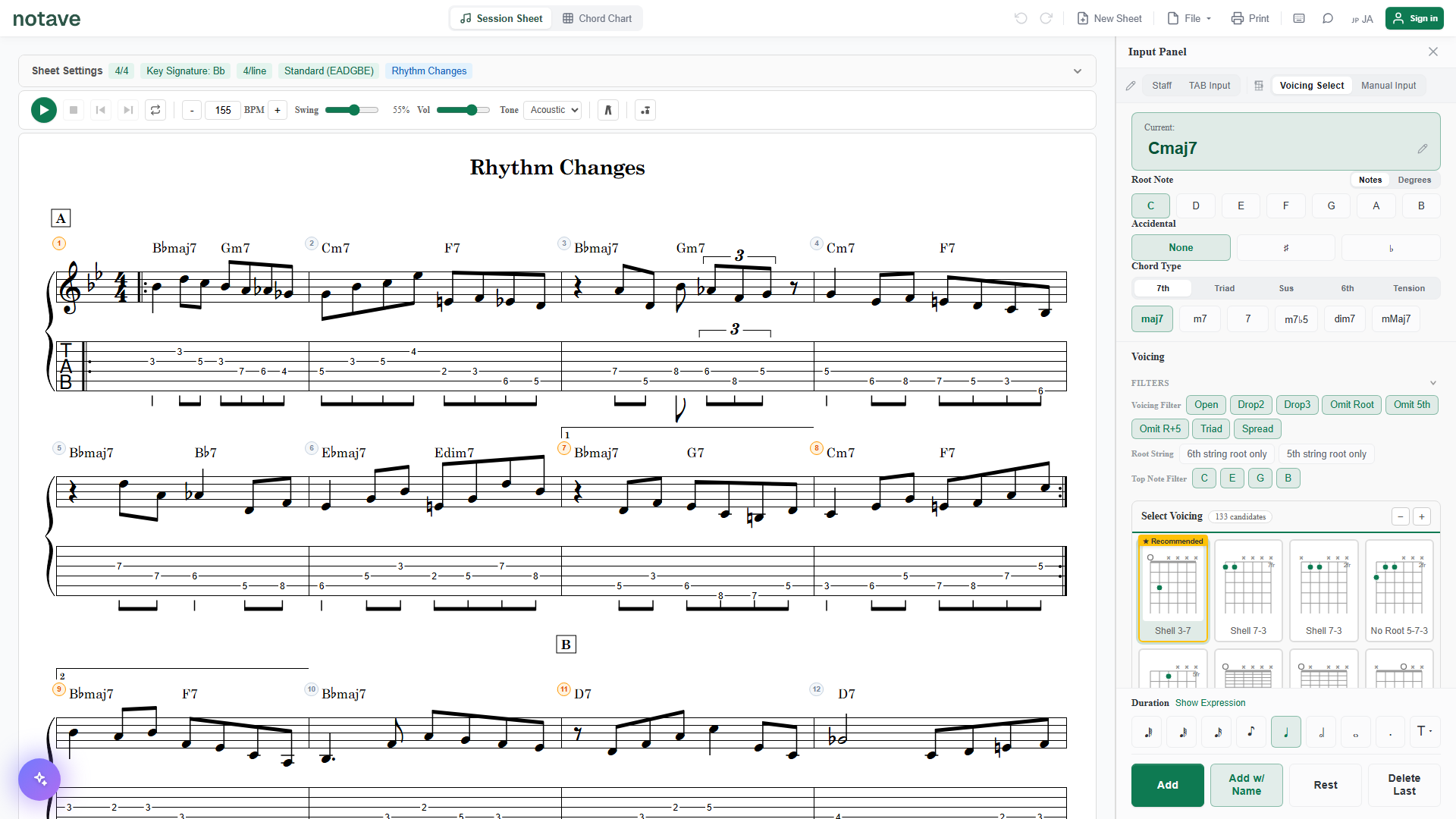
Three input modes — Chord, Manual, and TAB — so you can rough out a progression in seconds or dial in every note. Pick the one that matches how you work.
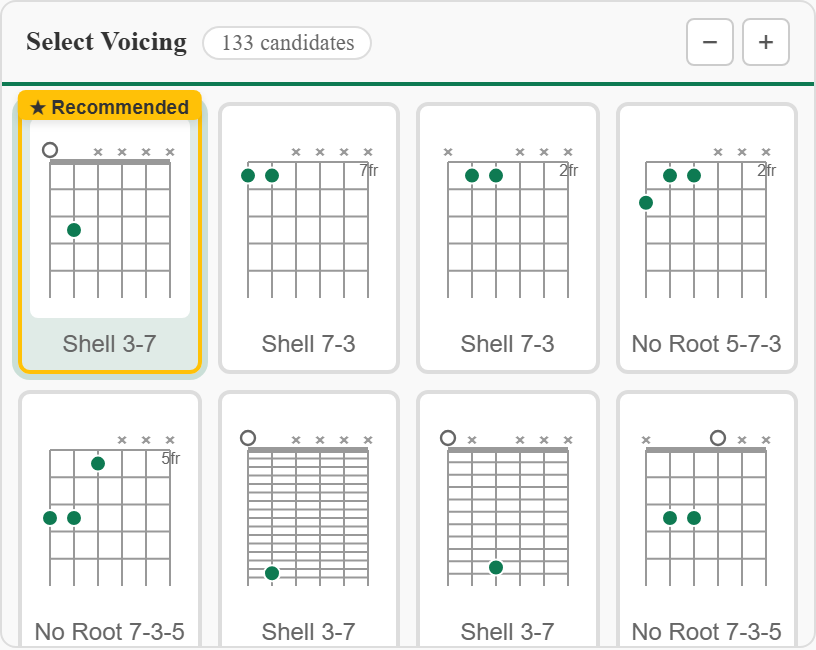
Chord voicings, sorted for you
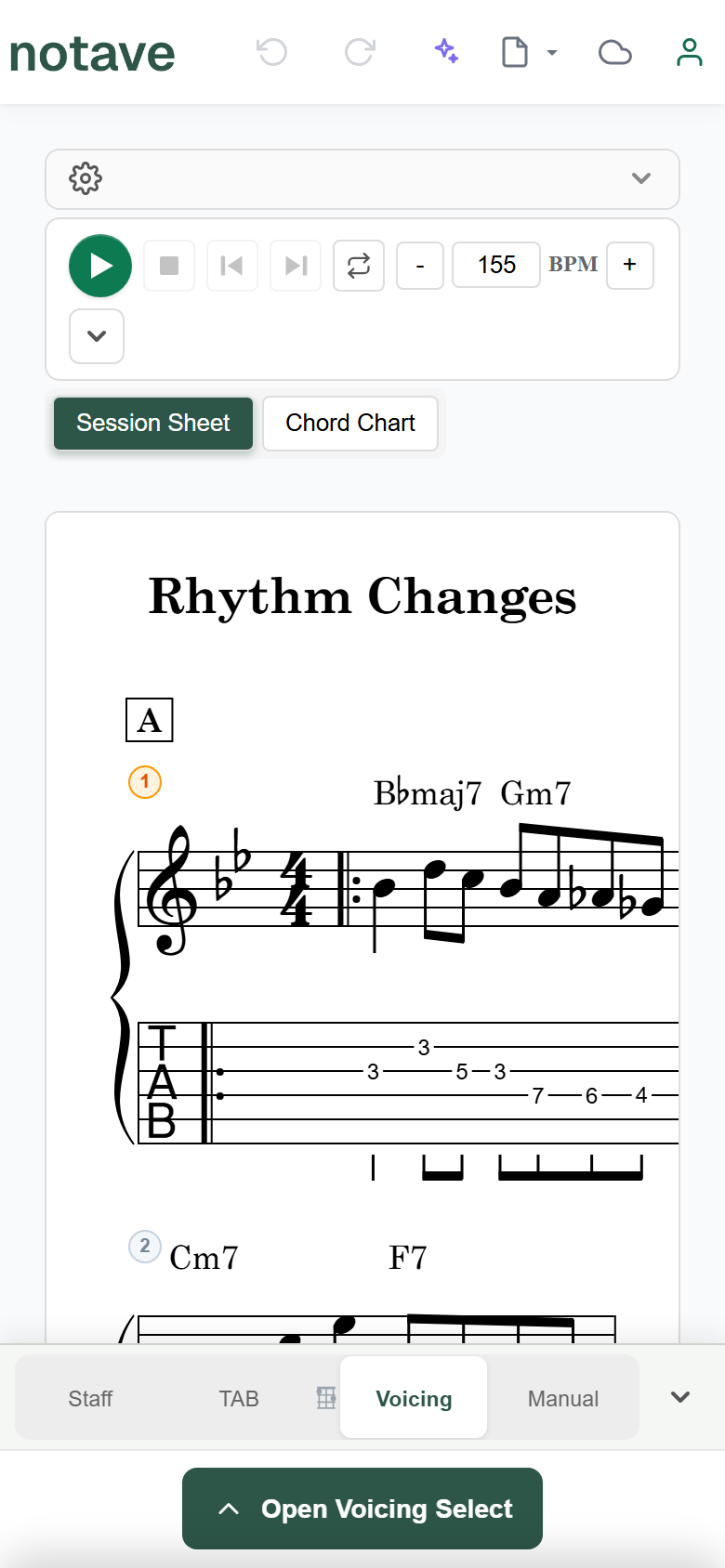
Select a chord name and instantly get guitar voicings — Drop 2, Drop 3, triads, spread voicings, and more. notave analyzes the surrounding progression to find the smoothest voice leading, so you always land on a fingering that actually feels good.
Alternate tunings, and capo too.
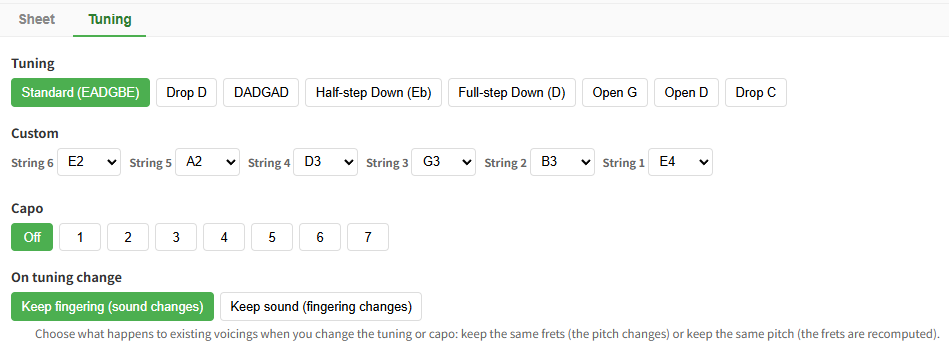
Drop D, DADGAD, half/full-step down, Open G/D, and Drop C presets — plus per-string custom tunings and capo, all free. Your tuning and capo are shown on the score following TAB convention, and carry through in share links. When you retune, choose whether to keep the fingering or keep the sound.
Hear your music instantly
Play back what you wrote on the spot. A 2 & 4 metronome and swing playback are built in, so you can use it for rhythm practice too.
Play the record or a YouTube video in sync with the sheet
Attach an audio file (MP3 / WAV / M4A and more) or a YouTube URL to the sheet, and play, pause, bar skips and the loop all carry the backing along. Anchor it with "bar 1 = clip time X", then drag the waveform onto the beat grid to fine-tune. Check a transcription against the original or practice over it, right on the sheet.

A different fingering with every press
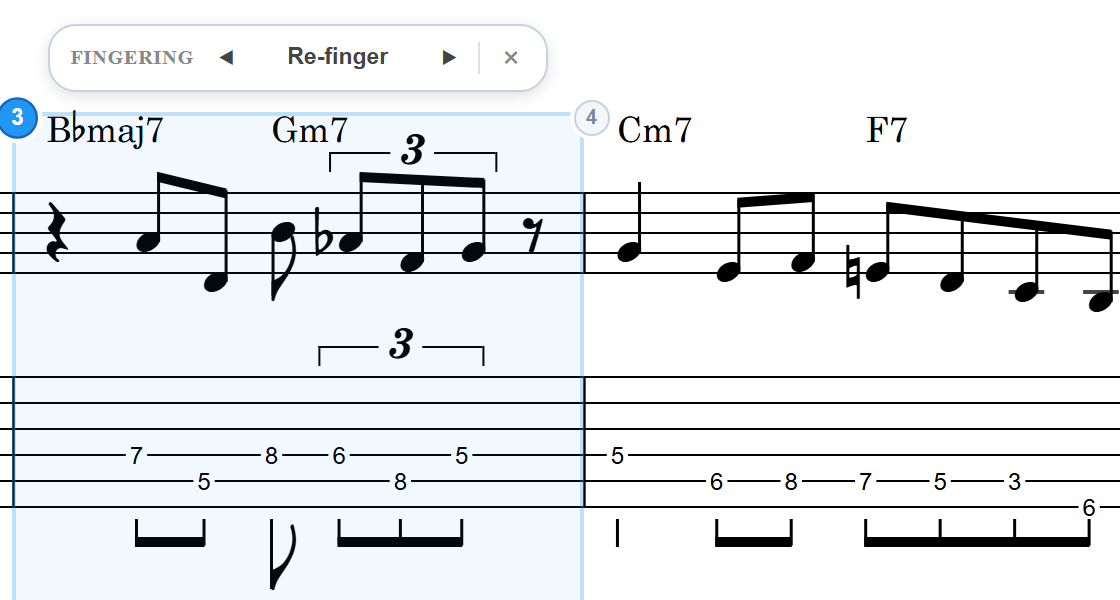
Right-click a bar and choose "Re-finger": the pitches stay, only the strings and frets change. Each press cycles through keep position, low position, high position and fewest string crossings, then returns to the original. Several bars can be re-fingered together, and each press is one undo step.
Scrolling TAB for your play-through videos
Export your charts as MP4 video with a scrolling cursor. Band (16:3) renders a wide TAB strip (1920×360) that sits right on the bottom third of your performance footage, and Band Short (1080×540) does the same for vertical Shorts. Full-frame YouTube (16:9), Shorts (9:16), and Square (1:1) presets are there too, so one chart can become a video for every format.
See chords as degrees, not shapes
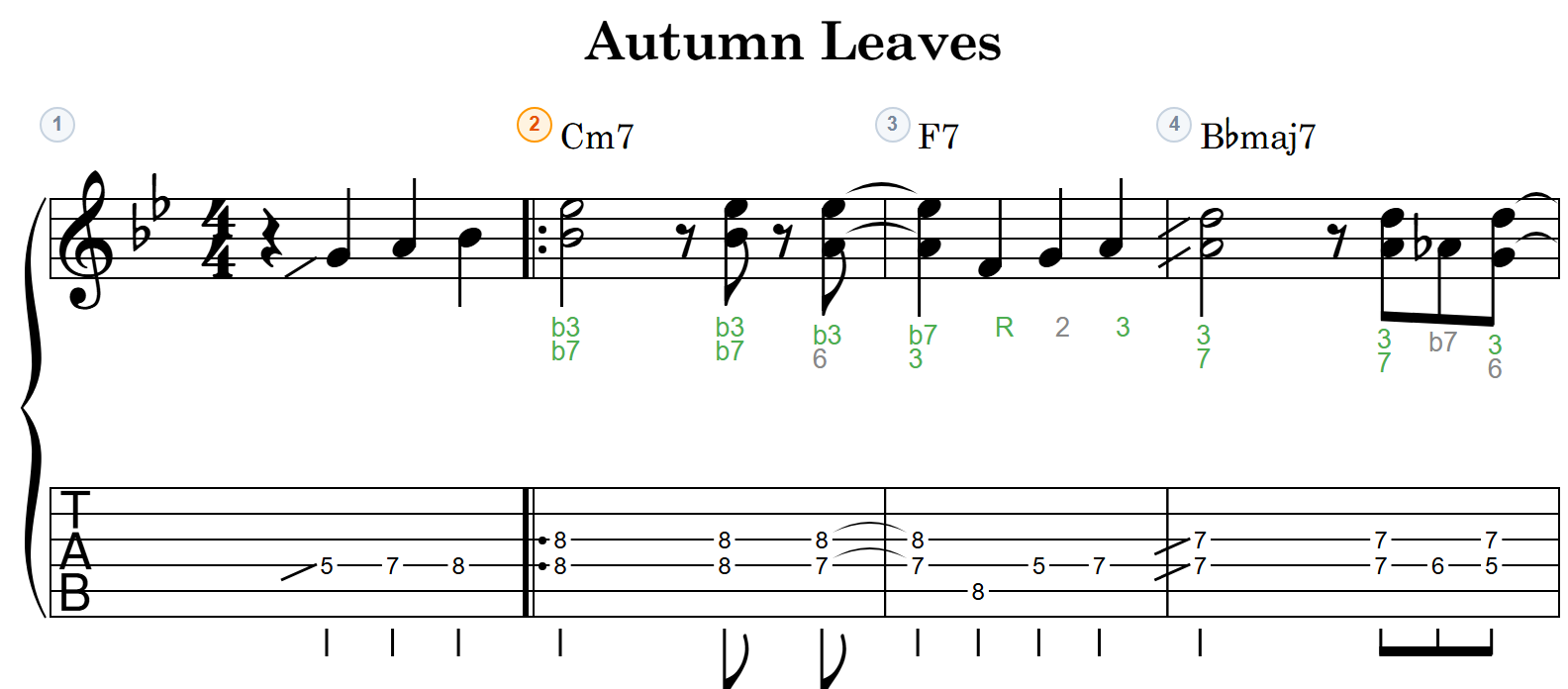
Show the degree of every note (R, 3, 5, b7, 9, #11…) in a lane between the staff and the TAB. Chord tones and tensions are distinguished, with spelling that follows the chord quality — so you can understand the sound in degrees and apply it straight to improvisation and voicing study.
From detailed scores to gig-ready chord charts
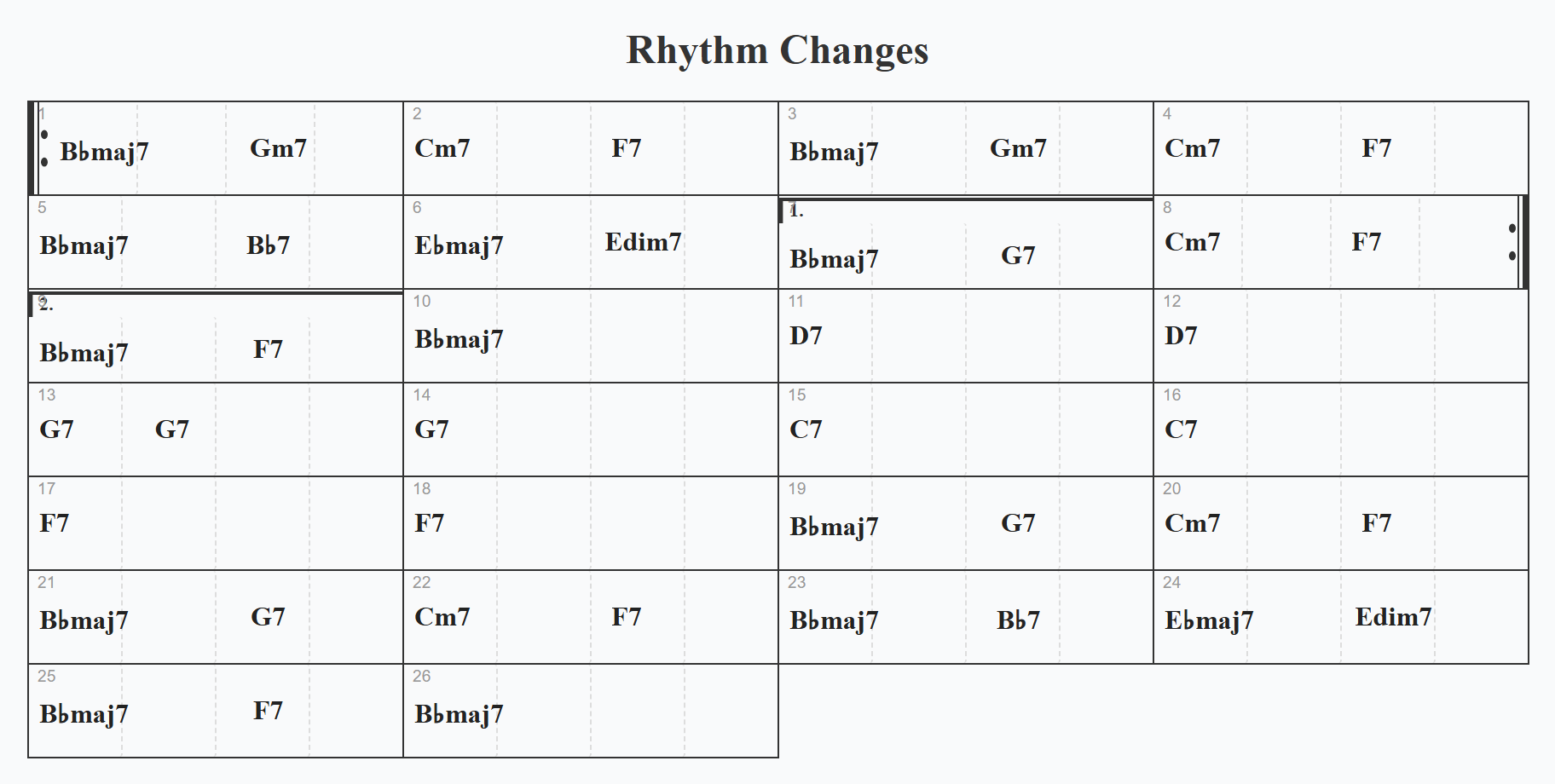
One click switches between full staff/TAB notation and a clean lead-sheet chord chart. Arrange at home with all the detail you need, then pull up the changes at the session.
Share or embed any sheet with a single URL
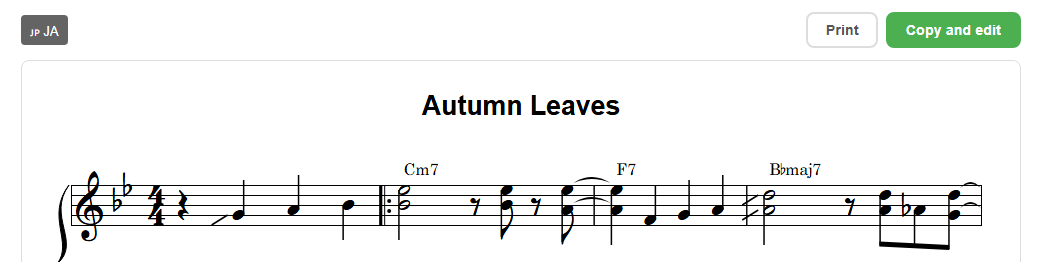
Just hand off a Share Link: the recipient views the sheet instantly in the browser — no login, no install. They can print, switch between Japanese and English, and "Copy & Edit" to continue it as their own. You can also embed the sheet straight into a blog or website — like the one below — so, unlike a PDF or an image, you hand over a sheet they can actually edit.
This sheet is a live embed, running right on this page.
Who is notave for?
"I just need a simple TAB, not a full-blown notation app..."
Quickly TAB out a phrase or progression
No heavy software to install. Open your browser, write your TAB, and print it — professional quality, minimal effort.
"Creating lesson materials takes too long..."
Guitar Instructors
Put together lesson materials and study pieces in a fraction of the time. Hand students a vertical practice video they can watch on their phone, or a chord chart they can bring to the gig.
"I want to make videos with notation, but editing is such a hassle..."
Players Who Share on Social Media
Skip the screen recording. Export notation videos with a scrolling cursor and chroma key — ready to post or overlay on your performance footage.
"There just aren't many quick, clean TAB tools made for bass..."
Bassists
Choose bass and the editor is tuned for 4 strings, bass clef, and single-note entry. From playback through a dedicated bass voice to video and sharing — every guitar feature is there for bass too.
System Requirements
| Feature | Chrome / Edge | Firefox | Safari |
|---|---|---|---|
| Score display & editing | ✓ | ✓ | ✓ |
| Audio playback & metronome | ✓ | ✓ | ✓ |
| JSON import/export | ✓ | ✓ | ✓ |
| MIDI import (to TAB) | ✓ | ✓ | ✓ |
| MusicXML import (to TAB) | ✓ | ✓ | ✓ |
| MIDI export (coming to the free tier) | ✓ | ✓ | ✓ |
| MusicXML export (with TAB, coming to the free tier) | ✓ | ✓ | ✓ |
| Synced playback of audio files / YouTube | ✓ | ✓ | ✓ |
| Video export | ✓ | △ | △ |
- * Official support covers the latest versions of Chrome and Edge only.
- * Video export uses the WebCodecs API. It may work on Firefox and Safari, but is not covered by official support.
- * Capturing a YouTube waveform (sharing the tab audio) works in Chrome / Edge only. Synced playback and anchoring work in every browser.
- * An internet connection is required for account login and cloud storage.
How to Get Started
Just open it (no sign-up required)
Visit the site and start writing right away — no registration. While signed out, a sheet holds up to 8 measures.
Sign in with your Google account
Click "Log In" in the top-right corner and sign in with Google. Sheets then go up to 100 measures and you can save them to the cloud. It costs nothing.
Share, print, or export as video
A finished sheet is ready to hand off as a share link, print, or export as an MP4 video.
Pricing
notave is free to use.
Pro is closed to new subscriptions. The features that used to be Pro-only are being opened up to everyone, step by step.
Available now
- Write and edit sheets (up to 100 measures each; 8 while signed out)
- Voicing suggestions, alternate tunings, capo, and transposition
- Playback and metronome
- Synced playback of audio files / YouTube, and re-fingering
- Convert MIDI and MusicXML files to TAB
- Cloud storage (up to 3 sheets)
- Share links and embeds
- Print and MP4 video export (with watermark)
Being opened up
- Print and video export without the watermark
- Longer sheets (up to 300 measures each)
- A higher cloud storage limit
- MIDI and MusicXML (with TAB) export
As of September 29, 2026
Progress is announced in the news →
If you subscribed to Pro, you keep the Pro features after your billing period ends.
Related Articles
How to Convert Sheet Music to Guitar TAB — Three Ways, All in Your Browser
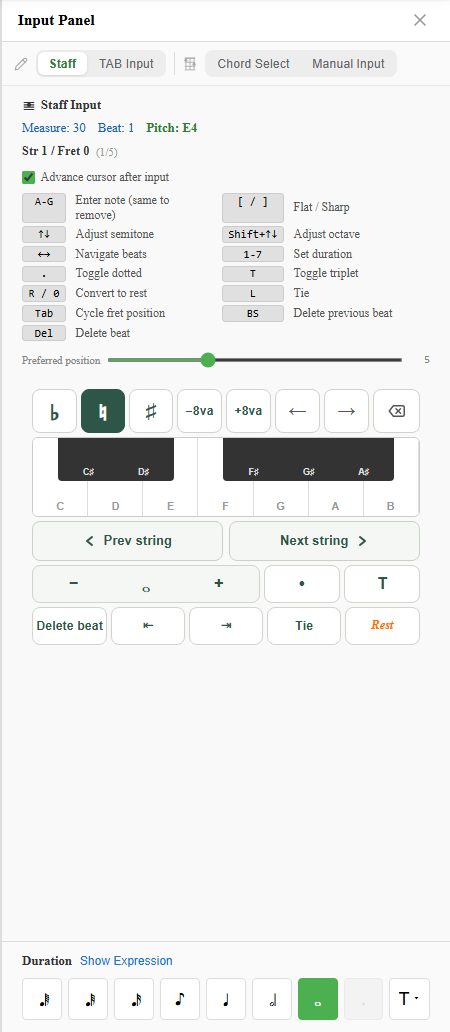
Three ways to turn standard notation into guitar TAB. If you have score data (MusicXML), drop it on the converter page and the whole thing converts at once. If you only have paper or a PDF, Staff Input mode lets you place notes by name. If you programmed it in a DAW, start from MIDI. All three run in the browser, and notave works out the fingering — which string and fret each note is played on — for you. Includes how to think about it when converting by hand.
Convert MusicXML to TAB — Accurately Generate Guitar & Bass Tabs with notave's MusicXML Import
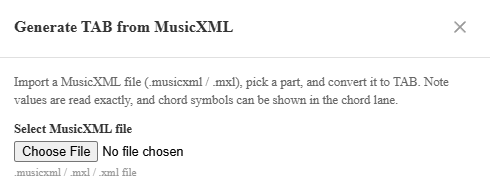
Load a MusicXML file (.musicxml / .mxl) and notave generates guitar and bass TAB automatically. A score you wrote in MuseScore or another notation app comes across with its exact note values, chords, and chord symbols intact, mapped onto a fingering you can actually play. This guide covers part selection, how chords are handled, chord-lane reflection, and the preview-to-apply workflow.
Convert MIDI to TAB — Auto-Generate Guitar & Bass Tabs with notave's MIDI Import
Load a MIDI file and notave generates guitar and bass TAB automatically. Turn a phrase you programmed in your DAW, or any MIDI you have, into TAB with a playable fingering. This guide covers melody vs chord mode, tempo and quantize, the preview-to-apply workflow, and tips for cleaner results.
7-String Guitar & 5-String Bass TAB, Right in the Browser — notave Adds Extended-Range Instruments
notave now supports 7-string guitar and 5-string bass. Just pick guitar (6/7 strings) or bass (4/5 strings) when you start a sheet. Write TAB for extended-range instruments — low B string included — with the same full feature set as 6-string guitar — dedicated playback voice, custom tunings, and share links. Here's how it works.
Create Bass TAB in Your Browser — with a Dedicated Bass Voice
Create bass TAB right in your browser with notave — no install, no sign-up. Tuned for 4 strings, bass clef, and single-note entry, with a dedicated bass voice, per-string custom tunings, plus print, video export, and share links.
Alternate Tunings & Capo for Browser TAB — Drop D, DADGAD & More with notave
Support for alternate tunings (Drop D, DADGAD, half/full-step down, Open G/D, Drop C), per-string custom tunings, and capo. Your settings show on the score and carry through in share links. notave runs entirely in your browser.
Share Your TAB & Chord Sheets in a Single URL — notave Share Links
A guide to notave's Share Link, which sends a TAB or chord sheet in a single URL — no login, no install. The recipient can view, print, switch language, and 'Copy & Edit' to continue it as their own. How it works, how to use it, and what to watch out for.
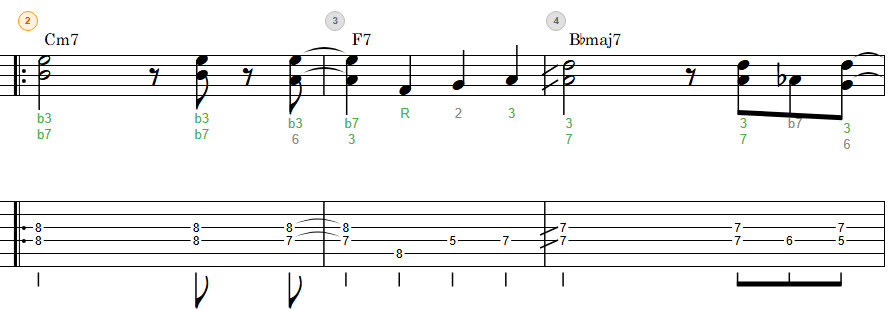
Show Chord Degrees on the Staff — notave's Interval Display
A guide to notave's Interval Display, which shows the degree (R, 3, 5, b7, 9, #11…) of every note between the staff and TAB. Learn to tell chord tones from tensions, read degrees, and apply it to improvisation and voicing choices — all in your browser.
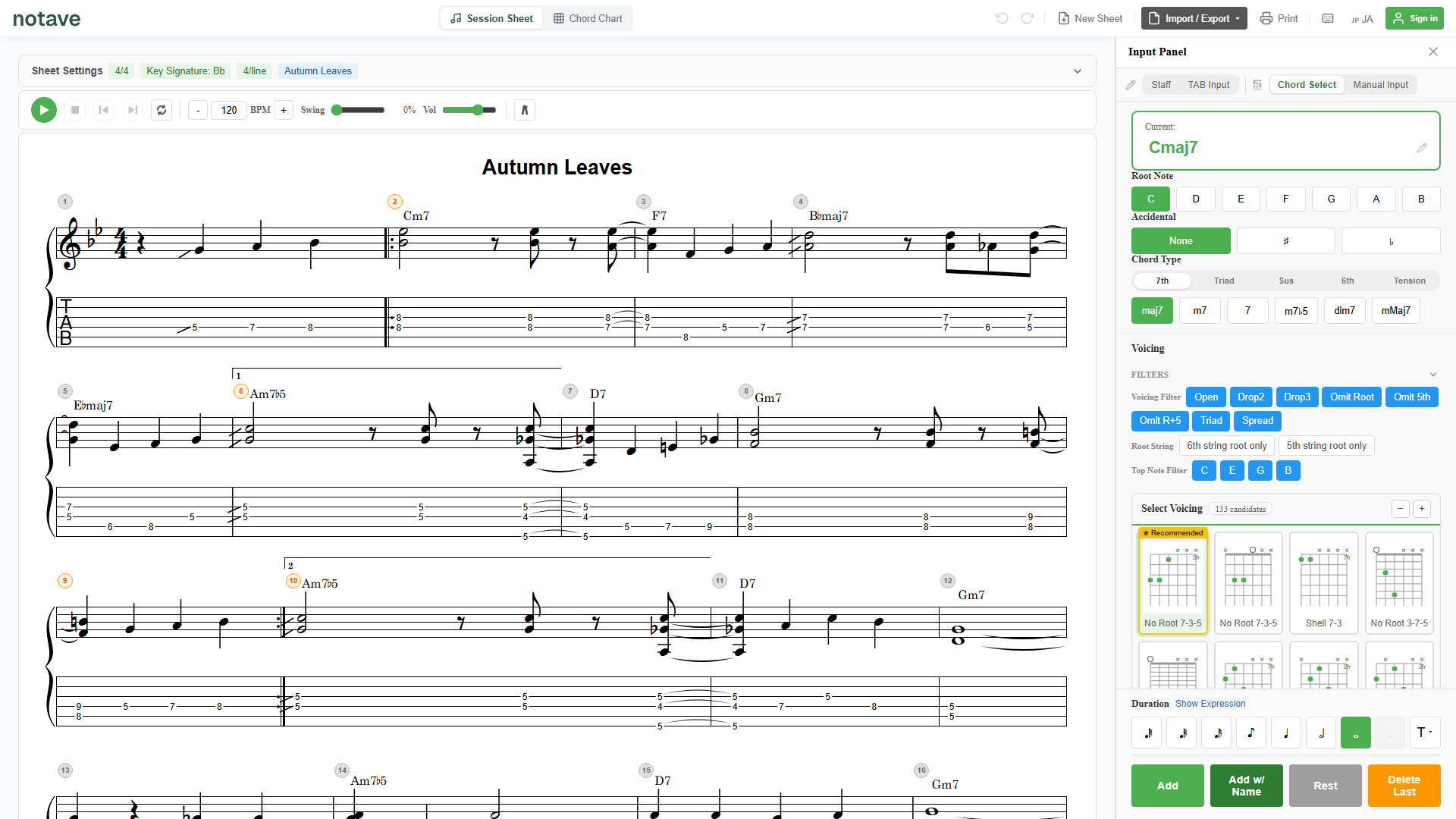
Create Guitar Chord Charts in Your Browser — Print-Ready with notave
No install, no sign-up. Create and print clean chord charts from your phone or PC browser with the free web app "notave."
Create Guitar TAB in Your Browser for Free — with Voicing Suggestions Built In
Create guitar TAB right in your browser with notave — free, no install, no sign-up. Includes voicing suggestions, playback, and video export.
Frequently Asked Questions
How much of notave is free?
notave is free to use. The current limits are 100 measures per sheet (8 while signed out), cloud storage for up to 3 sheets, and a watermark on print and video export. The paid Pro plan closed to new subscriptions on September 29, 2026, and the features that used to be Pro-only (watermark-free print and video export, sheets up to 300 measures, a higher cloud storage limit, MIDI and MusicXML export) are being opened up to everyone step by step. Progress is posted in the news.
Where are my sheets stored?
Sheets are normally stored in your browser. Even without signing in, "Save to file" writes a sheet to your device as a JSON file and "Open file" loads it back anytime, so you are free to keep local backups. Once signed in, you can also save sheets to the cloud (up to 3 sheets for now) and open them from another device. A sheet over the limit (more than 100 measures) becomes read-only — you can still view, play, and export it.
Is notave AI (generating sheets from natural language) available?
notave AI has ended. The free trial closed on September 29, 2026, and Pro subscribers can use it only until the end of their current billing period. Sheets made with AI remain ordinary sheets — editing, playback, and sharing keep working.
Can I create bass TAB?
Yes. Choose "Bass" when you start a new sheet and the editor switches to a layout tuned for 4 strings, bass clef, and single-note entry, with playback through a dedicated bass voice. Pick "Bass (5-string)" for 5 strings with a low B. Print, video export, share links, and the rest of the guitar feature set are all included at no extra cost.
Do you support 7-string guitar and 5-string bass?
Yes. Choose "Guitar (7-string)" or "Bass (5-string)" when you start a new sheet to write extended-range TAB with a low B string. The 5- and 7-string sheets support per-string custom tuning, saving, and share links, with the same full feature set as 6-string guitar. See how to use 7-string guitar and 5-string bass for details.
Do you support alternate tunings and capo?
Yes. Presets like Drop D, DADGAD, half/full-step down, Open G/D, and Drop C are included, along with per-string custom tunings and capo — all free. Your settings are shown on the score following TAB convention and carry through in share links.
Can I transpose a sheet (change its key)?
Yes. "Transpose..." in the sheet settings shifts the whole sheet in semitone steps (−11 to +11). Notes, chord names, and the key signature all move together, and the TAB fingering follows automatically — notes that would run out of frets are moved to a nearby string, and chords with open strings are re-voiced to the closest matching shape of the transposed chord. The dialog previews the resulting key, and the feature is free. See our guide to transposing TAB for details.
Can I play the original audio file or a YouTube video along with the sheet?
Yes. From "Backing" on the playback bar, attach an audio file (MP3 / WAV / M4A / AAC / FLAC / OGG) or a YouTube URL, and play, pause, bar skips and the loop all carry the backing along. Anchor it with "bar 1 = clip time X" and drag the waveform onto the beat grid to fine-tune. The audio file itself is stored only in your browser; share links and cloud saves carry just the alignment. Capturing a YouTube waveform works in Chrome / Edge.
Can notave re-finger a passage (change the strings and frets) automatically?
Yes. Right-click a bar and choose "Re-finger" (or press Alt+R): the pitches stay, only the strings and frets change. Each press cycles through keep position, low position, high position and fewest string crossings, then returns to the original. Chords only move to a shape that holds every note, and each press is one undo step (Ctrl+Z).
How does the watermark look on video and print exports?
A "notave" logo watermark appears on a portion of exported videos and printed PDFs. Score creation, playback, and voicing suggestion themselves are not restricted. Watermark-free export is being opened up to everyone.
I have a Pro subscription. What happens now?
Pro closed to new subscriptions on September 29, 2026. Existing subscriptions end automatically at the end of the current billing period and there will be no further charges — no action is needed. You keep the Pro features after that.
Payments and refunds
No new subscriptions are accepted, so there are no new charges. If you would like a refund of your final month, please contact us.
How is notave different from Guitar Pro or MuseScore?
notave is an install-free browser app whose unique strength is auto-suggesting guitar voicings (Drop 2, Drop 3, etc.) directly from a chord name. We prioritize the lightness of writing down a phrase or progression instantly without launching a heavyweight notation suite.
Can I export to MIDI? Which DAWs are supported?
MIDI export used to be Pro-only and is being opened up to everyone. The exported standard MIDI file works with any DAW that accepts MIDI input — Logic Pro, Cubase, Studio One, Ableton Live, and others.
Can I create TAB from a MIDI file?
Yes. From the export menu, choose "MIDI to TAB" and load a .mid / .midi file — notave converts the track you pick into guitar or bass TAB. Melody mode takes the top note of each chord as a single-note line, and chord mode places simultaneous notes into playable voicings. Tempo is auto-detected from the file, and you can preview the result before applying. MIDI import is free to use (within the 100-measure sheet limit). See how to convert MIDI to TAB for details.
Can I create TAB from a MusicXML file?
Yes. From the export menu, choose "MusicXML to TAB" and load a .musicxml / .mxl file — notave converts the part you pick into guitar or bass TAB. Because MusicXML carries exact note lengths, chords, and chord symbols, the import is more faithful than MIDI. Chord symbols can be reflected straight onto the chord lane, and you can preview the result before applying. MusicXML import is free to use (within the 100-measure sheet limit). See how to convert MusicXML to TAB for details.
Can I export the score as PDF or MusicXML?
PDF (via print), MP4 video, and JSON (for saving and reloading inside notave) are supported. MusicXML import (converting to TAB) is available now. MusicXML export used to be Pro-only and is being opened up to everyone — the exported file includes TAB string/fret data and opens directly in notation software like MuseScore.
Can I use notave offline?
Account login and cloud storage require an internet connection, but score creation and editing themselves work offline once you are signed in.
Does notave work on smartphones / tablets?
Yes — notave runs on PC, mobile, and tablet in all major browsers.
Does it work in Safari or Firefox? What about video export?
Score viewing, editing, playback, and JSON I/O work in Chrome, Edge, Firefox, and Safari. Video export uses the WebCodecs API and is officially supported only in Chrome and Edge (it may work in Firefox / Safari but is not covered by support).
How accurate is the voicing auto-suggestion?
The engine generates multiple voicing candidates using practical algorithms — Drop 2, Drop 3, spread, rootless, fifth-omitted — and analyzes voice leading from the surrounding chords to mark the smoothest form as "Recommended".
Where is my data stored?
Score data is normally saved in your browser, and once signed in you can also store sheets in the cloud and open them from another device (up to 3 sheets for now). You can save and reload as JSON files, or use a Share Link — which embeds the data in the URL — to hand a sheet to another user without storing it on a server.
Can I share a sheet I made with someone else?
Yes — the Share Link feature bundles a sheet into a single URL. The recipient can view it in the browser with no login and no install, print it, switch between Japanese and English, and use "Copy & Edit" to continue it as their own. The sheet data is embedded in the URL itself and is not stored on a server.
Can I display chord degrees (intervals)?
Yes. Turn on "Show intervals" in the sheet settings and the degree of each note (R, 3, 5, b7, 9, #11, etc.) appears between the staff and the TAB. Chord tones and tensions are distinguished, with spelling that follows the chord quality. This feature is free to use.
Are there tutorials or guides?
Yes — see the notave category in our blog for usage tips. The most relevant introductions are TAB notation basics and chord chart creation.
Where do I send questions or feature requests?
Please use the contact form. We do not offer phone support.
TAB notation, without the hassle
Try it free