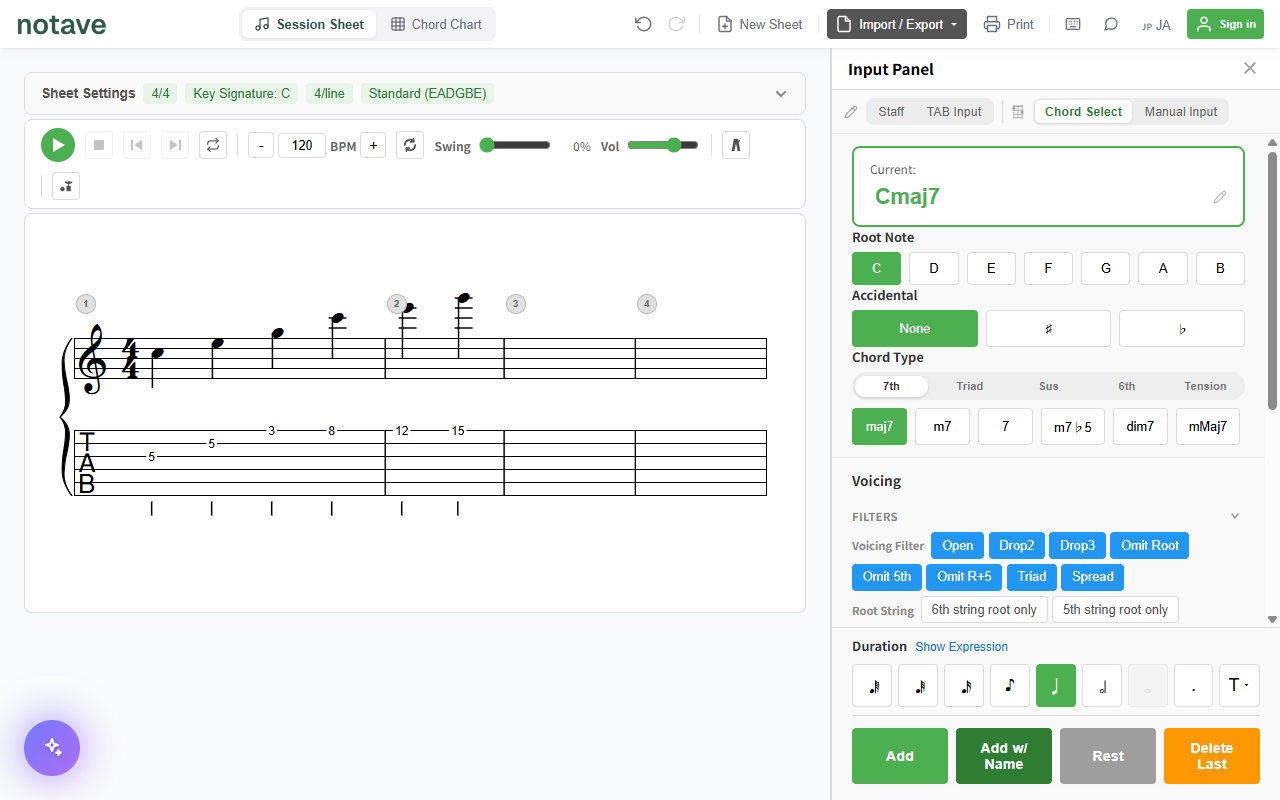
Key changes come up constantly. You need to fit a singer’s range, someone calls a tune a half step up at a jam, or the original key simply sits too high for you.
On staff notation you move the noteheads and fix the key signature, and you’re done. What about TAB? Let’s walk through the manual method first, then look at how to automate it.
Transposing TAB by hand
The principle: one fret is one semitone
Adjacent frets on a guitar are exactly a semitone apart. Which means that if you move every note the same number of frets along its own string, you have transposed the piece. Up a whole step (+2 semitones)? Add 2 to every fret number. Down a half step? Subtract 1. That’s the whole idea.
Try it on the TAB below and listen to the result.
Every note transposes by simply adding +2 to its fret number, staying on the same string.
Shifting upward, the arithmetic is a pleasure. Shift downward, though, and some fret numbers drop below 0. Fret 0 is the open string — the nut, where the string is anchored. There are no frets past it, so on that string, those notes simply cannot be played.
When you run out of frets, move to another string
This is the fiddliest part of transposing by hand. A note you can’t reach on its own string has to be re-anchored higher up a thicker string. The same pitch exists in several places on the neck, and you borrow one of the others.
Move one string thicker and the same pitch sits 5 frets higher — except between the 2nd string (B) and the 3rd (G), where it is 4 frets. That pair is tuned a major third apart rather than a fourth, and forgetting it is how charts end up a semitone off.
Move one string thicker and the same pitch sits 5 frets higher (+5) — except between the 2nd (B) and 3rd (G) strings, where it is +4.
Say you want to drop “3rd string, fret 0” (a G) by two semitones. On the 3rd string that would be fret −2, which doesn’t exist. Move to the 4th string instead: 0 + 5 = fret 5, then take the two semitones off, 5 − 2 = fret 3. Your “3rd string, fret 0” becomes “4th string, fret 3”.
Transposing upward, the problem flips: notes on thin strings run past the end of the neck. On a 22-fret guitar, there is nothing above fret 22.
Some chords slide; some don’t
For a single-note melody that’s the end of the story. Chords change the picture.
Barre chords — the shapes with no open strings, where your index finger bars the neck — slide freely. An F shape two frets up is a G. That part is easy.
Open chords are the problem. Shapes like C, G, and Am contain open strings, and open strings are pinned to fret 0. They don’t slide along with your fingers. Move a C shape two frets up and you don’t get D; you get something else entirely. To transpose an open chord you have to choose a different, playable shape in the new key.
Fix the chord names and the key signature too
Every chord symbol above the TAB moves by the same number of semitones. Up two from Cmaj7 is Dmaj7; Am7 becomes Bm7.
Whether you write sharps or flats follows the target key. A semitone above C is usually written D♭ rather than C♯, and six semitones up is F♯. The key signature at the head of the sheet needs updating to match.
So what does transposing by hand actually involve?
To transpose one TAB sheet, you repeat all of the following across every note:
- Add the semitone count to every fret number
- Find the notes that fell below 0 or past the last fret, and re-write them on another string using the +5 rule (+4 across B and G)
- Replace open chords with a different shape that’s playable in the new key
- Re-spell every chord name, choosing sharps or flats to match the target key
- Update the key signature
Four measures is survivable. A whole song is a serious chunk of work — and steps 2 and 3 aren’t mechanical: each one sends you back to the fretboard to think.
notave does all of it in one operation
notave’s transpose feature takes on steps 1 through 5 at once. Pick an amount in semitones and the notes, chord symbols, and key signature of the whole sheet move together, with the TAB fingering following automatically.
How to use it
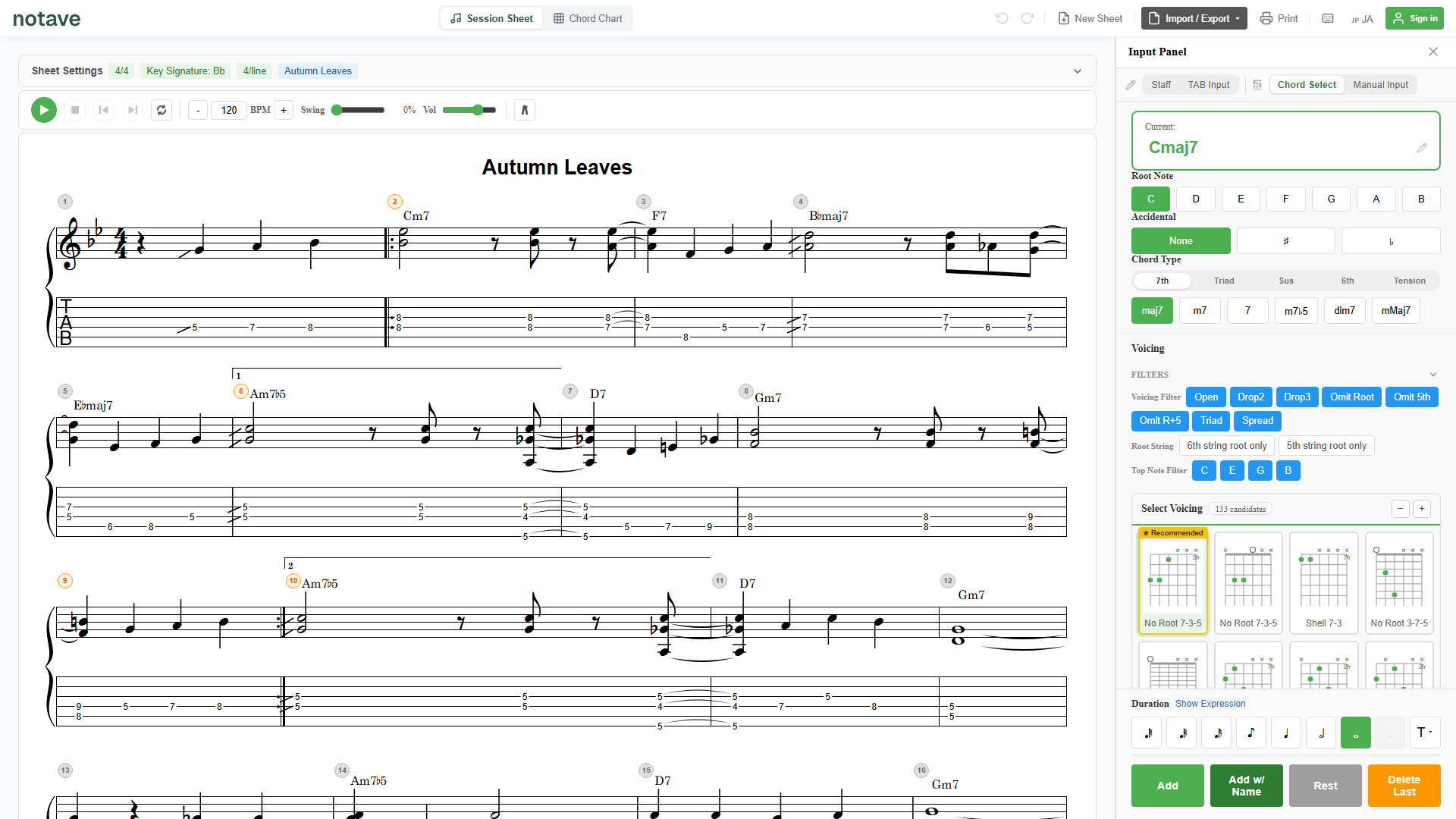
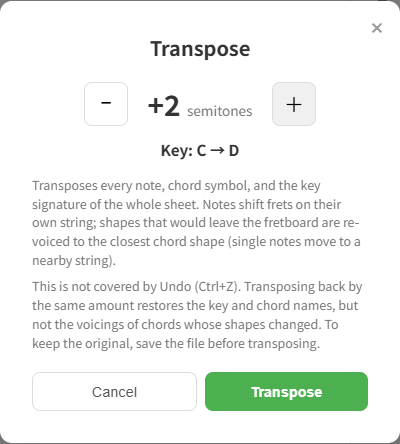
Open the sheet settings bar and you’ll find “Transpose…” next to the key signature buttons. Click it, set the amount with the ± buttons (+2 for a whole step up, −1 for a half step down), and press “Transpose”.
The resulting key is previewed as “Key: C → D” while you adjust, so you can check the outcome before committing. The range is −11 to +11 semitones.
Here’s a progression in C major transposed +2 semitones (a whole step):
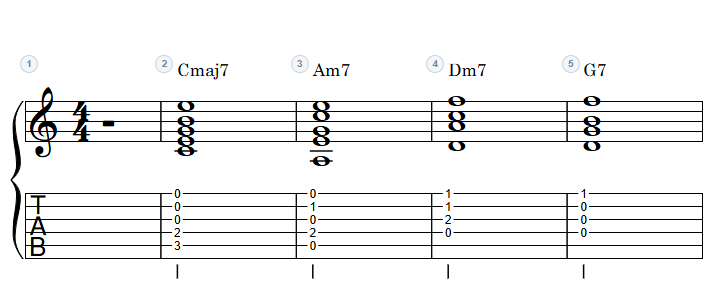
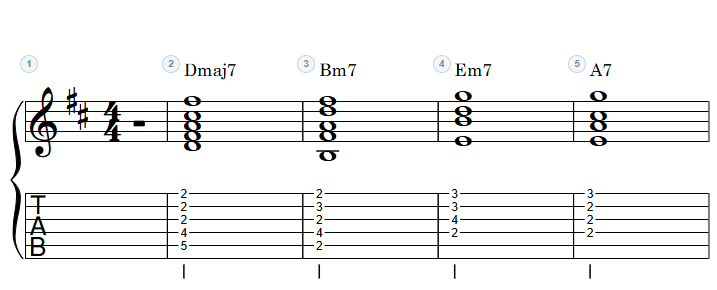
Cmaj7 becomes Dmaj7, Am7 becomes Bm7, the key signature switches to D major’s two sharps, and every fret number moves up by two. Steps 1, 4, and 5 of the manual process, done in a click.
Steps 2 and 3 are handled too
When a note runs out of frets (step 2), notave re-anchors it on a nearby string — think of it as applying that +5 / +4 table for you, note by note.
When a chord can’t slide (step 3), notave picks a replacement from the transposed chord’s voicing candidates, preferring shapes close to the original. A Drop 2 stays a Drop 2 where possible, so the character of the sound carries over.
If even one note would end up outside the instrument’s range, the transpose isn’t applied and an error appears instead. The sheet never ends up half-transposed, so you can change the amount or review the tuning and try again.
One thing to keep in mind: transposing is not covered by Undo (Ctrl+Z). Transposing back by the same amount restores the key and chord names, but not the voicings of chords whose shapes changed. If you want to keep the original, save the file before transposing.
Where it comes in handy
The most common case is matching a singer’s key. Whether you accompany yourself or play in a band, move the sheet in semitone steps until the melody sits comfortably. If you don’t know how far to go, start around −2 and adjust by ±1 while singing — the dialog reopens as many times as you like.
It also earns its keep when the key changes on the spot at a jam or rehearsal. “Half step up.” “Down a whole step.” You can rebuild the chart right there, chord symbols included, and send the band a share link as-is.
When horns join, tunes often settle into flat keys (F, B♭, E♭). Even in keys you don’t normally finger, transpose the chart and let notave work out where the notes land.
There’s a practice angle too. The classic jazz exercise of taking a line through all twelve keys becomes a matter of transposing +1 at a time, giving you playable TAB in every key. Dropping a song a few semitones to practice and returning to the original key later works just as well.
Transpose, capo, or tuning?
notave also has tuning and capo settings. All three touch the key, but they do different jobs.
| What you want | What to use |
|---|---|
| Rewrite the sheet itself in another key | Transpose |
| Keep the same fingering and open-string voicings, raise the sounding pitch | Capo |
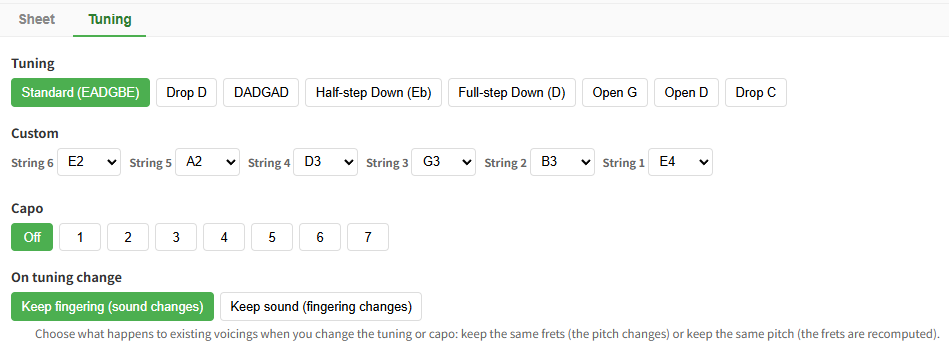
| Play in half-step-down or another altered tuning | Tuning settings |
The rule of thumb: rewrite the score, or change what sounds? Making a new-key chart for a singer is a transpose. Keeping open-string voicings and just raising the key is a capo — which is, in effect, a way of dodging the open-chord problem above by moving the fretboard instead of your hands.
It’s free
Transposing is free to use — no sign-in needed; open notave and try it right away. Sheet length is capped at 8 measures while signed out and 100 once you sign in, but the transpose feature itself has no limits.
Summary
In principle, transposing TAB is just “add the semitone count to every fret number.” In practice it drags along re-anchoring notes that ran out of frets, replacing open chords, and re-spelling every chord name and the key signature.
notave’s transpose feature clears the whole list.
- Open “Transpose…” in the sheet settings and shift the whole sheet in semitone steps
- Notes, chord symbols, and the key signature move together, and fingering follows automatically
- Shapes that no longer fit are re-voiced to the closest chord shape
Whether it’s a singer’s range or a surprise key call at a jam, it comes down to a couple of ± clicks. notave.zelva.dev runs in the browser — no sign-up, no install.
For TAB-writing basics see the TAB guide, for reading TAB itself see how to read TAB, and for the full feature list see the manual.