
Blog

Practice Guitar TAB Along With the Record — Play a YouTube Video or Audio File in Sync With the Sheet
Practicing TAB along with the original means juggling a video player and a tab app, and losing your place every time you want to hear a bar again. In notave you attach an audio file or a YouTube video to the sheet, and play, pause, bar skips and the loop all carry the record along. Anchoring takes one number — which second of the clip bar 1 falls on. Here is how to run a practice session on it, and how to check your part before shooting a play-through video.
Auto-Suggest Fingerings for Guitar TAB — Pick One and the Notes Fall Under Your Fingers
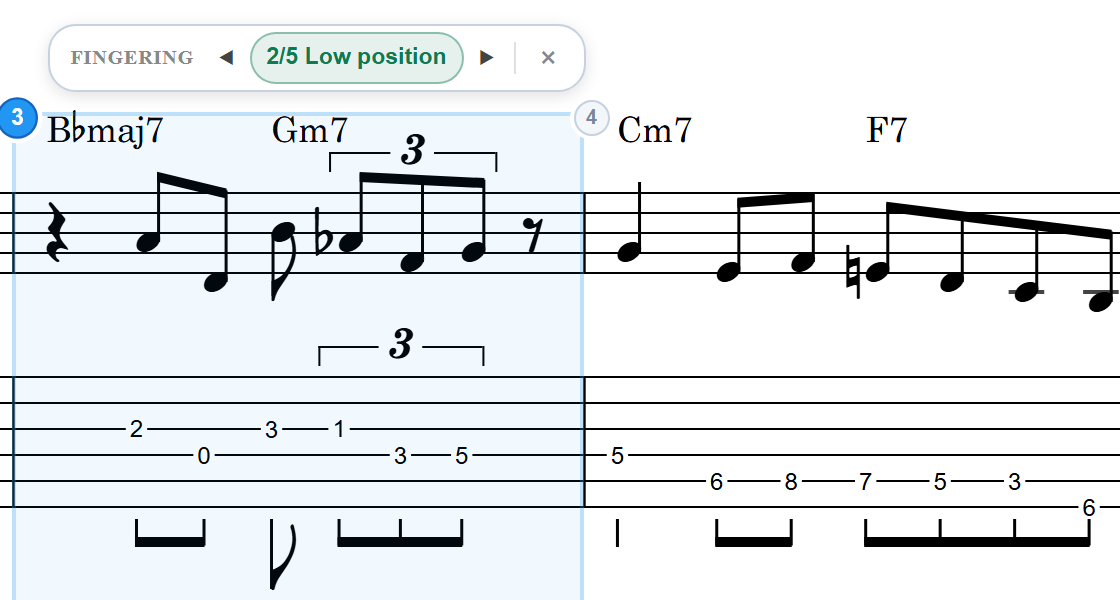
TAB converted from MIDI or sheet music, or typed in as it came, can have every note right and still be awkward under the fingers. In notave, right-click a bar and choose "Re-finger" — the pitches stay, only the strings and frets change. How to use the four candidates — keep position, low position, high position, fewest string crossings — and where this fits in practice and play-through videos.
MIDI and MusicXML into sheet music your band can share — settle it before the first rehearsal
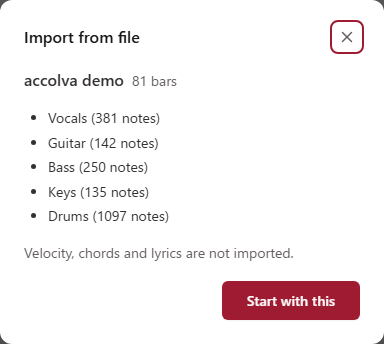
A band's song usually lives in everyone's head in a slightly different version, and the differences surface while five people are standing in a room they are paying for by the hour. accolva turns the MIDI or MusicXML file you already have into one score in the browser, and shares it with a link. Everyone reads the same sheet and writes their feedback on the bar it belongs to, so the rehearsal can start from what you already agreed on. Nothing to install, free to start.
accolva Manual — Full Feature Reference
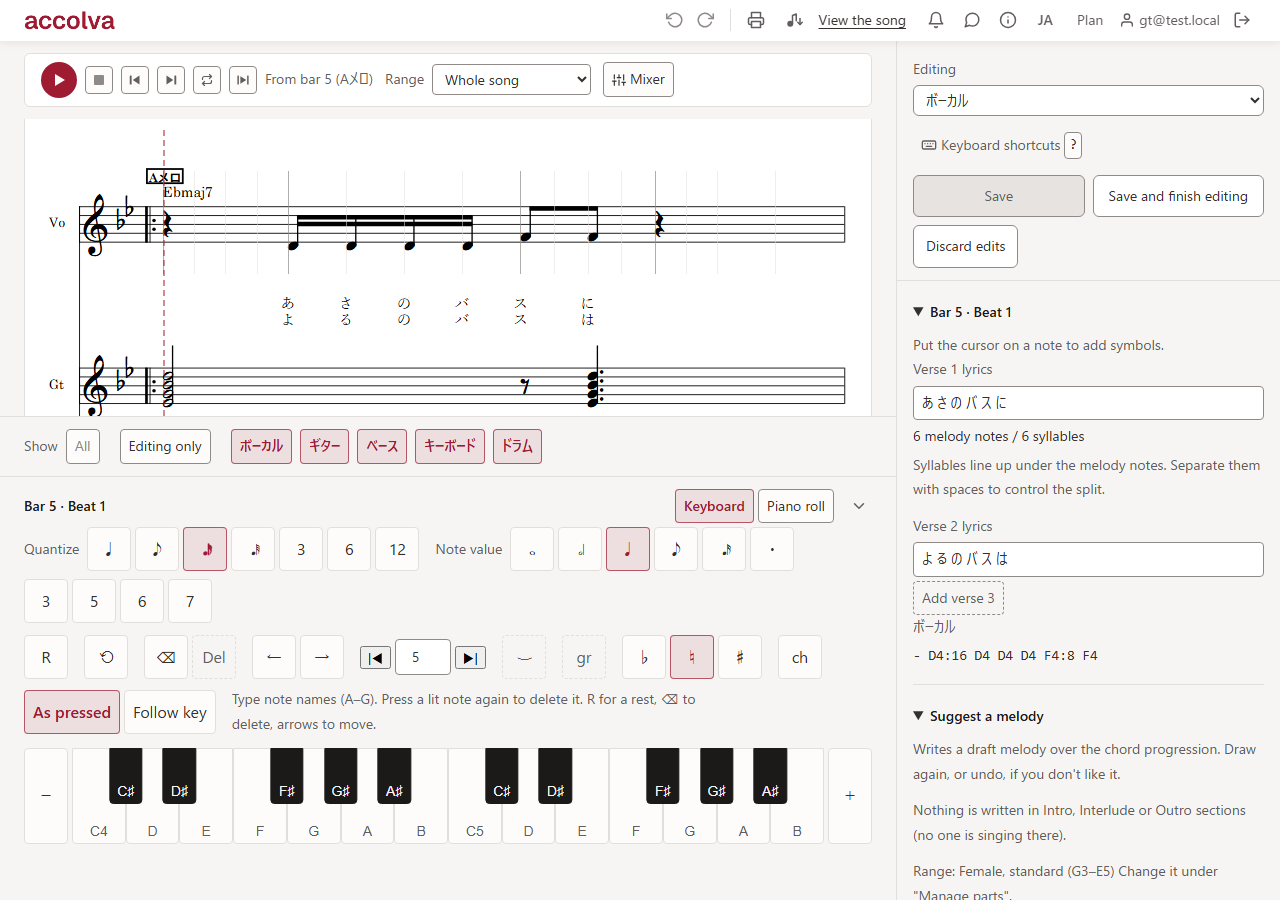
Reference manual for accolva, the browser-based band score editor for writing and co-editing with your band. Covers the song list, importing MIDI and MusicXML files, structure and chord progressions, managing parts, the per-part input pads (keyboard, piano roll, TAB, drums), auto-fill drafts from chords, playback and the mixer, comments and notifications, A4 printing and MIDI export, and the full keyboard shortcut list.
Loop-practice a chord progression with a backing band — build your own practice track in the browser
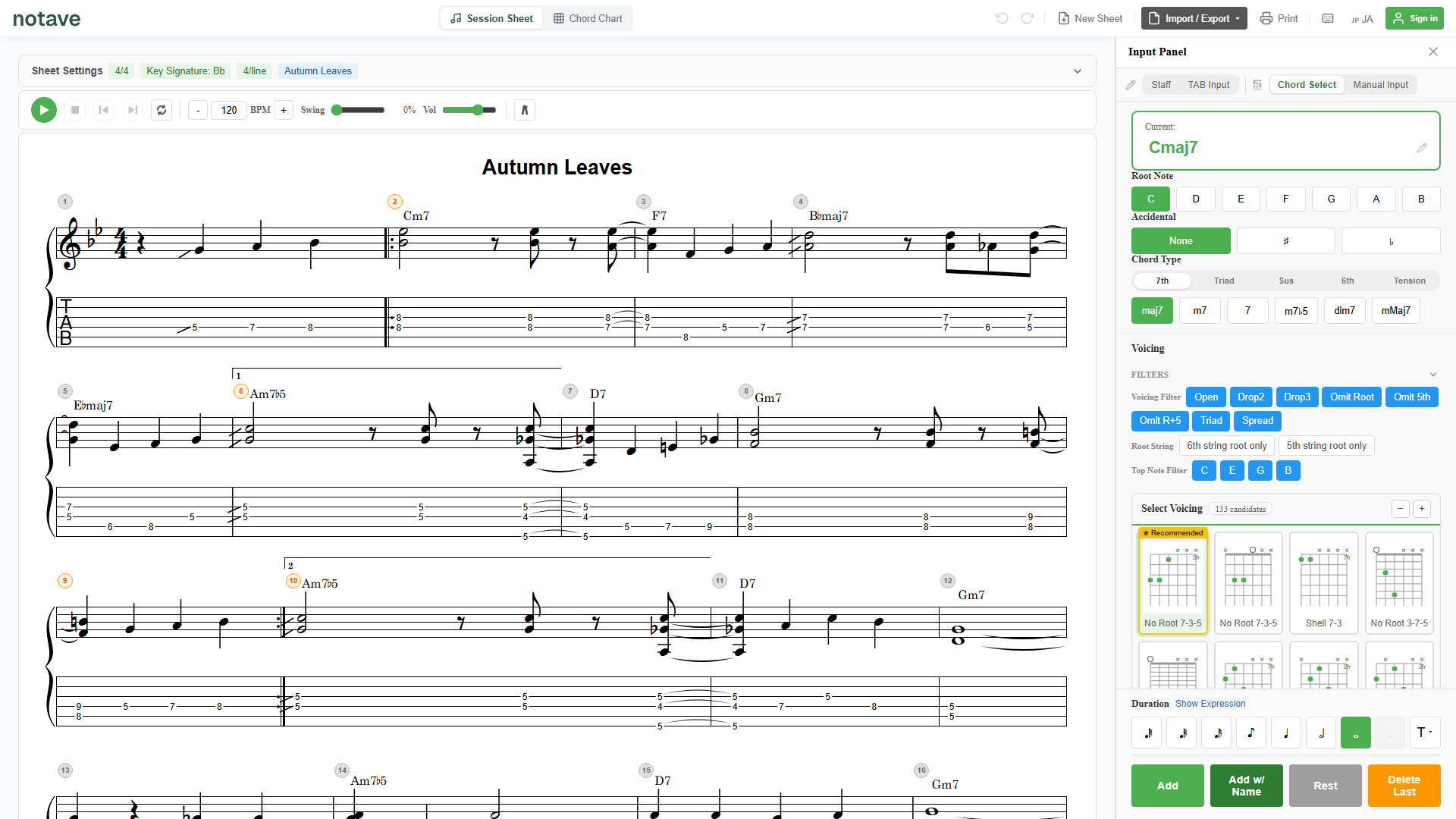
Practicing to a bare metronome rarely sticks. This article shows a practice workflow where notave adds a backing band (bass, drums, comping) to the progression you want to work on, loops it in the genre you like, and keeps you playing without a break. Four steps — new sheet → enter the progression in Chord Chart → turn the band on and loop → save the phrases you like. Browser only, free.
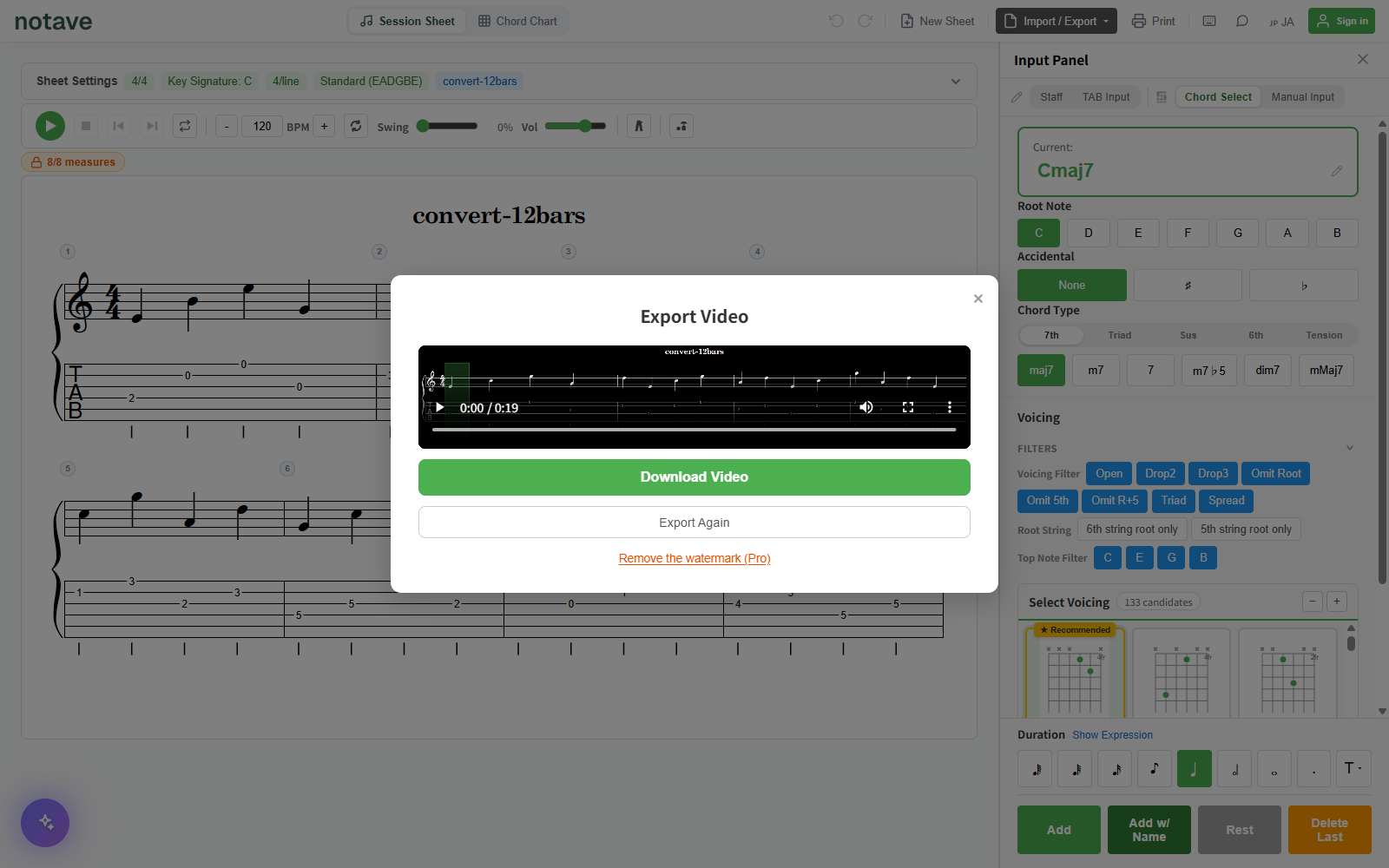
How to Add Scrolling Tabs to Your Guitar Play-Through Videos — No Install, Rendered Right in Your Browser
How to add scrolling guitar TAB to a play-through video. Covers the traditional multi-step workflow (screen-recording tab software and compositing it in an editor) and a simpler one — export the TAB itself as a strip video with notave's Band (16:3) preset (1920×360) or Band Short (1080×540) for vertical Shorts, then overlay it in your video editor. The video export runs entirely in your browser.
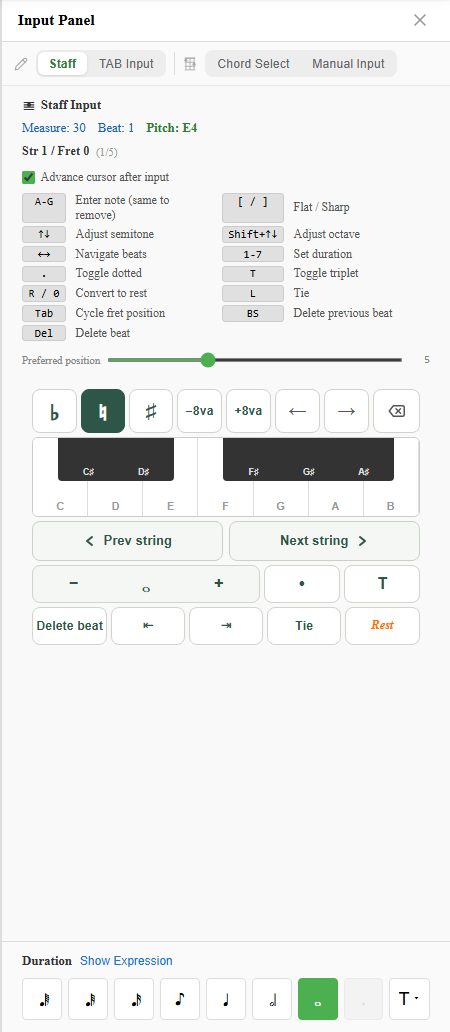
How to Convert Sheet Music to Guitar TAB — Three Ways, All in Your Browser
Three ways to turn standard notation into guitar TAB. If you have score data (MusicXML), drop it on the converter page and the whole thing converts at once. If you only have paper or a PDF, Staff Input mode lets you place notes by name. If you programmed it in a DAW, start from MIDI. All three run in the browser, and notave works out the fingering — which string and fret each note is played on — for you. Includes how to think about it when converting by hand.
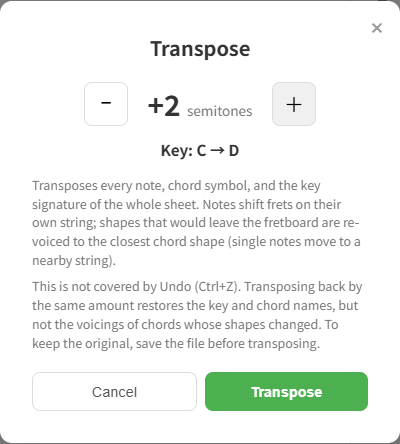
Transpose Guitar TAB Without Re-Writing a Single Fret Number
How to transpose guitar TAB, starting with the manual method — one fret equals one semitone, how to re-anchor a note on another string (+5, or +4 across the B and G strings), and why open chords cannot simply slide. Interactive diagrams let you hear each step. Then see how notave's transpose feature does the whole job in one operation.
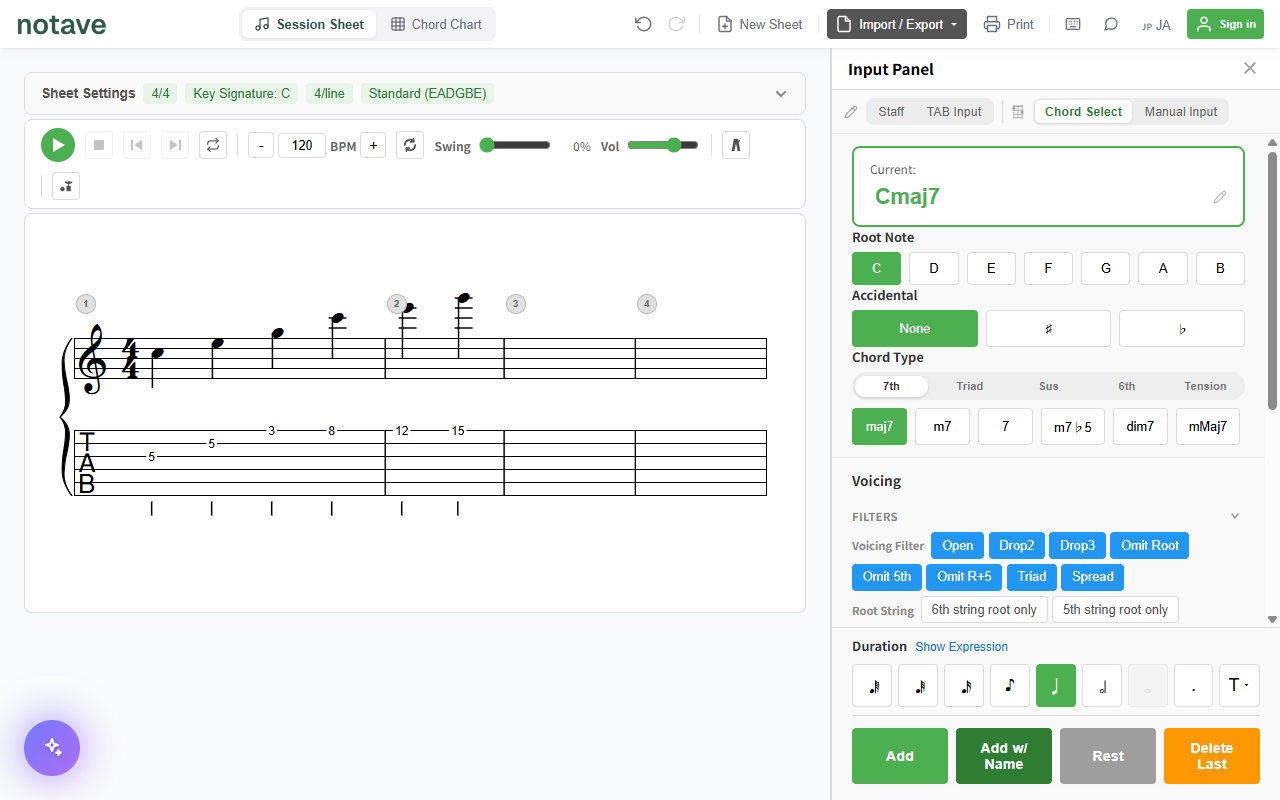
notave Manual — Full Feature Reference
Reference manual for notave, the browser-based guitar/bass TAB and staff notation editor. Covers sheet settings, staff/TAB/chord input, measure symbols (repeat signs, volta brackets), playback, metronome, backing band, export, and the full keyboard shortcut list.
How to Notate a Solo Guitar Arrangement — Two-Voice Chord Melody in notave
A solo guitar (chord melody) score is properly written in two voices — melody with stems up, bass and chords with stems down. This guide walks through building a solo guitar arrangement in notave's two-voice input, step by step — melody, then bass, then chords, then articulations, then playback and sharing. All in the browser, free.
7-String Guitar & 5-String Bass TAB, Right in the Browser — notave Adds Extended-Range Instruments
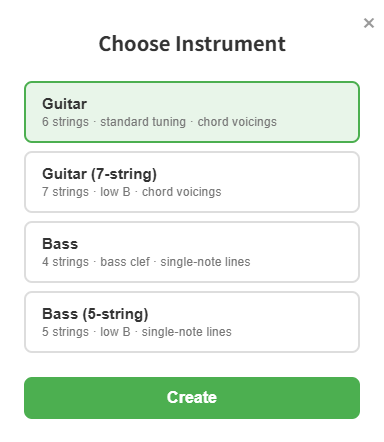
notave now supports 7-string guitar and 5-string bass. Just pick guitar (6/7 strings) or bass (4/5 strings) when you start a sheet. Write TAB for extended-range instruments — low B string included — with the same full feature set as 6-string guitar — dedicated playback voice, custom tunings, and share links. Here's how it works.
Convert MusicXML to TAB — Accurately Generate Guitar & Bass Tabs with notave's MusicXML Import
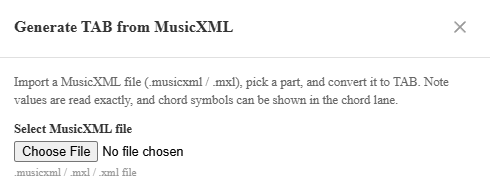
Load a MusicXML file (.musicxml / .mxl) and notave generates guitar and bass TAB automatically. A score you wrote in MuseScore or another notation app comes across with its exact note values, chords, and chord symbols intact, mapped onto a fingering you can actually play. This guide covers part selection, how chords are handled, chord-lane reflection, and the preview-to-apply workflow.
Convert MIDI to TAB — Auto-Generate Guitar & Bass Tabs with notave's MIDI Import
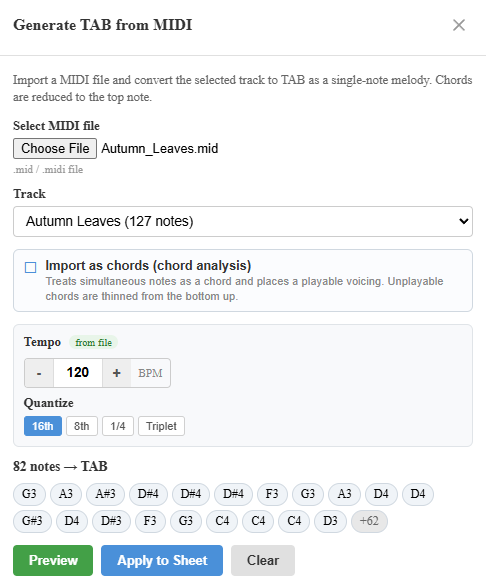
Load a MIDI file and notave generates guitar and bass TAB automatically. Turn a phrase you programmed in your DAW, or any MIDI you have, into TAB with a playable fingering. This guide covers melody vs chord mode, tempo and quantize, the preview-to-apply workflow, and tips for cleaner results.
How to Read (and Write) Bass TAB — Start With Four Lines and Root Notes
Bass tablature is four lines = four strings, and it follows the exact same rules as guitar TAB — with even less to remember. Learn the line-to-string mapping, numbers = frets, and the simplest root-note bassline up to a root-and-octave groove, all with sounds you can play on the page. The second half shows how to write your own bass TAB in the browser.
How to Read (and Write) Guitar TAB — A 5-Minute Beginner's Guide
Learn to read guitar tablature from zero — no music theory required. Six lines = six strings, numbers = which fret to press, and symbols like h, p, and / explained, all with interactive diagrams you can play right on the page. The second half shows how to write your own TAB in the browser.
Free Chord Sheet Maker for Sing-Alongs — Chords, Lyrics, and Fingerings on One Page
Build a sing-along chord sheet in your browser, free. Put the chord progression, lyrics, and fingerings on one page, play it back with acoustic guitar backing to practice, and print or share it. A practical guide to the chord sheet maker for singer-guitarists.
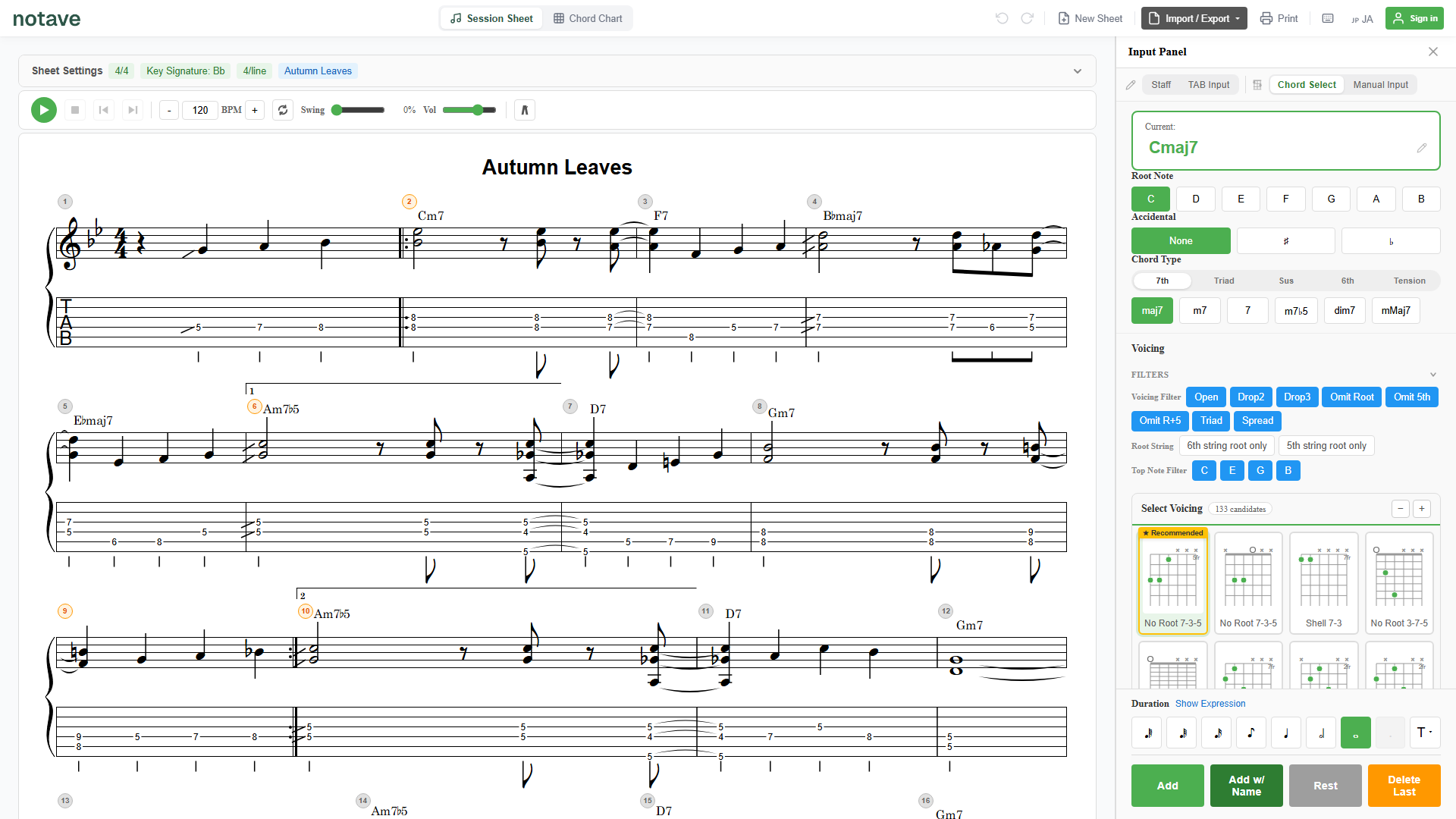
The 4 input modes in notave — Chord Select, TAB, Staff, and Manual
notave's input panel has four input modes — Chord Select, Manual Input, TAB Input, and Staff. This guide explains what each one is good at and when to reach for it, plus the role of the shared duration and expression selectors. It's the hub that points to the detailed how-to for each mode.
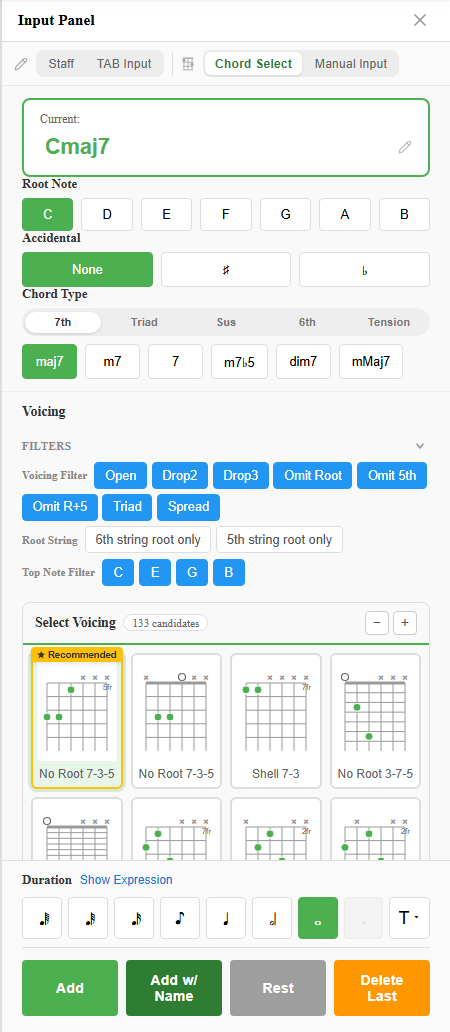
Using Chord Select mode — place chords even if you don't know the voicing
A part-by-part walkthrough of notave's Chord Select mode. From choosing the root, accidental, and chord type, to narrowing voicings with the filters, picking from the candidate list, and typing chord names directly. You don't need to know the fingering — notave suggests theory-based voicings for you.
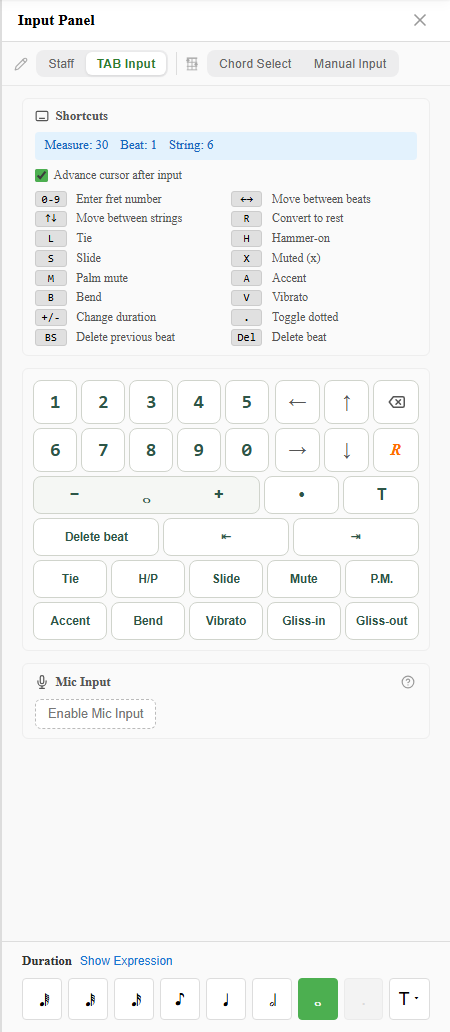
Using TAB Input mode — type tabs fast with the keyboard
A careful walkthrough of notave's TAB Input mode — the cursor readout, keyboard shortcuts, auto-advance, and the on-screen input pad. Type frets with the number keys, move with the arrows, and add techniques like H and B with a single key. If you're used to Guitar Pro, riffs and solos go down fast.
Using Staff Input mode — place notes by name, let notave handle the fingering
A careful walkthrough of notave's Staff Input mode — the cursor readout, note-name entry, accidentals, cycling fingering candidates, and the preferred position slider. Specify the pitch you want instead of a string and fret, and notave converts it into a TAB fingering automatically. Ideal when you think in melody and pitch.
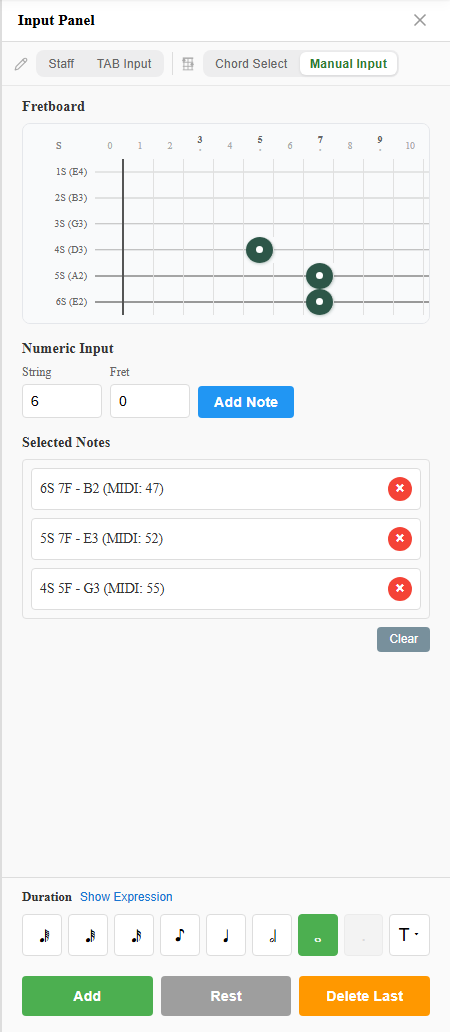
Using Manual Input mode — specify any fret and build chords your way
A careful walkthrough of notave's Manual Input mode — the fretboard, numeric input, the selected-notes list, and the action buttons. Use it for shapes the Chord Select suggester won't offer, or when you want a specific fingering. Specify strings and frets directly and stack up exactly the notes you want.
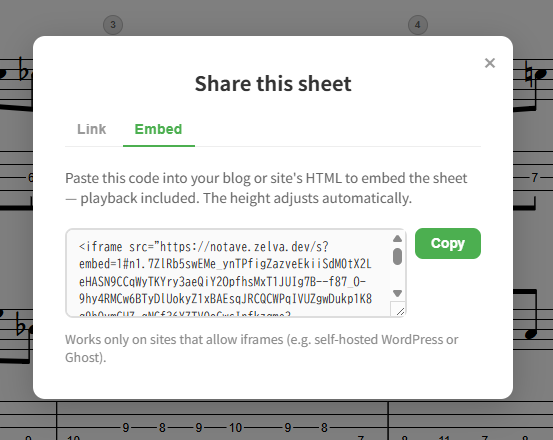
Embed TAB & Chord Sheets in Your Blog or Website — notave's Embed Feature
A guide to notave's embed feature, which puts a TAB or chord sheet on your blog or website as the real, interactive sheet — not a screenshot or PDF. Readers can play it, move the capo, and toggle the interval display. How to copy the embed code, paste it into self-hosted WordPress, Ghost, or your own site, and when to use it over a Share Link.
Create Bass TAB in Your Browser — with a Dedicated Bass Voice
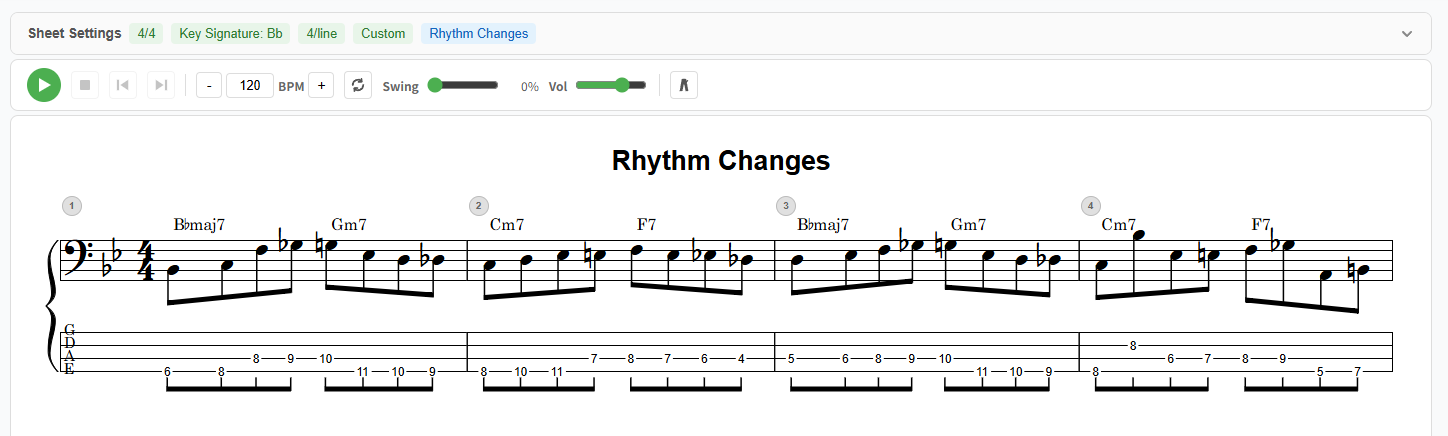
Create bass TAB right in your browser with notave — no install, no sign-up. Tuned for 4 strings, bass clef, and single-note entry, with a dedicated bass voice, per-string custom tunings, plus print, video export, and share links.
Alternate Tunings & Capo for Browser TAB — Drop D, DADGAD & More with notave
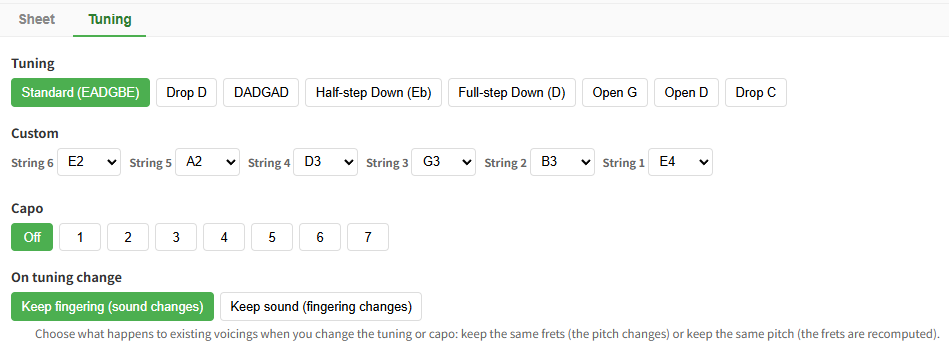
Support for alternate tunings (Drop D, DADGAD, half/full-step down, Open G/D, Drop C), per-string custom tunings, and capo. Your settings show on the score and carry through in share links. notave runs entirely in your browser.
Show Chord Degrees on the Staff — notave's Interval Display
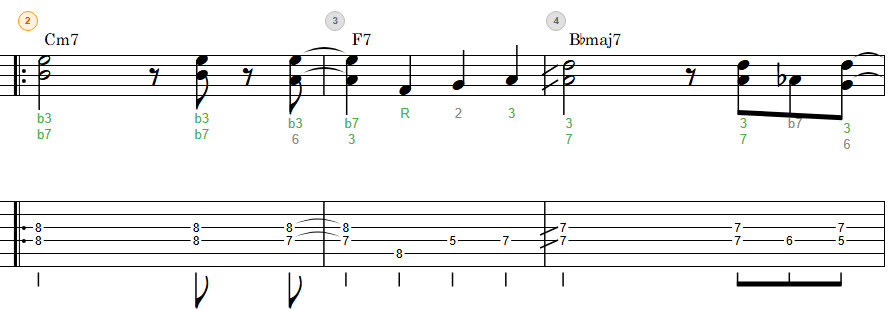
A guide to notave's Interval Display, which shows the degree (R, 3, 5, b7, 9, #11…) of every note between the staff and TAB. Learn to tell chord tones from tensions, read degrees, and apply it to improvisation and voicing choices — all in your browser.
Share Your TAB & Chord Sheets in a Single URL — notave Share Links
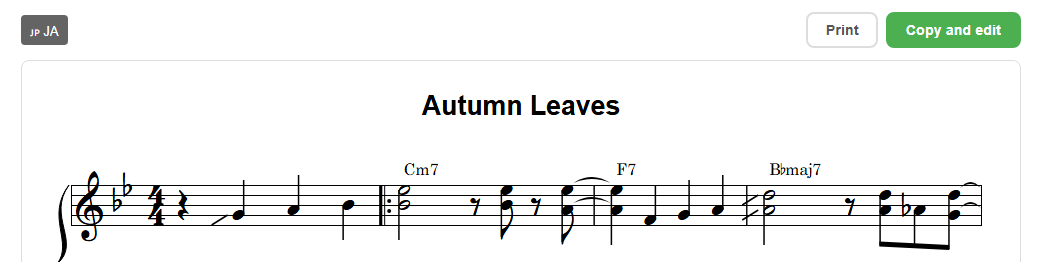
A guide to notave's Share Link, which sends a TAB or chord sheet in a single URL — no login, no install. The recipient can view, print, switch language, and 'Copy & Edit' to continue it as their own. How it works, how to use it, and what to watch out for.
Reharmonization 101 — Chromatic Progressions with Passing Diminished Chords
A guitarist's guide to reharmonization: keep the melody and the overall skeleton, but swap or insert chords to add motion and color. This article introduces the passing diminished chord as a new tool, and maps it against the techniques we've already covered — secondary dominants, Related IIm7, tritone subs, deceptive cadences, and slash chords — with step-by-step audio examples.
A Guitarist's Guide to ii-V — Breaking Down V7 with Related IIm7
A guitarist's guide to Related IIm7, the most fundamental reharmonization technique in jazz: taking any lone V7 and inserting its matching IIm7 to form a ii-V pair. See how the guide tone line extends on the fretboard, hear the rhythmic drive of ii-V chains, and work through turnarounds, jazz blues, tritone subs, and extended dominants with audio examples.
Secondary Dominants on Guitar: Progressions & Examples
A guitarist's guide to secondary dominants (V7/x): how a temporary V7 before each diatonic chord adds pull and color, with interactive examples in C major.
Slash Chords on Guitar — How to Read Them and What Scales to Play Over
C/E, Dm7/G, Fmaj7/G — a guitarist's guide to slash chords. Sort out the two types (chord-tone bass vs. non-chord-tone bass), learn which scales work over each, and turn your Drop 2 / Drop 3 inversions into a ready-to-use toolkit for any slash chord you see.
Tritone Substitution on Guitar — Why G7 and D♭7 Share the Same Shape
A guitarist's guide to tritone substitution, the go-to jazz reharmonization. See why G7 and D♭7 are interchangeable by discovering they share the exact same two notes on the fretboard, with interactive audio examples.
The Circle of Fifths for Guitarists — A Practical Map for Modulation, Progressions, and Improvisation
A guitar-first guide to the Circle of Fifths. Since standard guitar tuning is stacked in 4ths, the circle maps directly to your fretboard. From I-IV-V and ii-V-I to modulation and capo decisions, learn to read the circle as a practical map — with interactive widgets that play chords as you explore.
Mastering II-V-I from Chord Tones Up — A Guitarist's Guide to Jazz Improvisation
Learn to improvise over jazz's most common progression — II-V-I — in three stages: chord tones, scales, and altered tensions. Use chord tones as your roadmap, scales as passing tones, and altered tensions for maximum resolution. Interactive fretboard and notation included.
Never Get Lost Again: A Guitarist's Guide to Diatonic Chords for Ear Training and Songwriting
Learn diatonic chords from a guitarist's perspective. Use the fretboard's built-in geometry — the 4th/5th relationship between strings — to find chords in any key, transpose instantly, and write songs with confidence. Interactive fretboard diagrams included.
Make Your Open Chords Sound Pro — Embellishment Techniques That Transform Your Playing
Add hammer-ons, pull-offs, sus4, add9, and walking bass to your open chords and instantly sound more polished. Practical embellishment techniques broken down chord by chord.
Stuck Playing the Same Chord Shapes? Expand Your Sound with a Free Voicing-Based Chord Chart
If your guitar chords sound the same every time, it's because you don't know different voicing types. Shell, Drop 2, Drop 3 — the same chord can sound completely different. Explore your options with a free online chord chart organized by voicing type.
Free Online Metronome — Build Real Time Feel with Shuffle and 2 & 4 Click Practice
You can play along with a metronome, but your rhythm still feels off in a band? The problem might be that you're relying on every-beat clicks. Learn how muting beats 1 & 3, playing to beat 1 only, shuffle/swing, and subdivisions can build real time feel — with a free online metronome that lets you customize each beat.
Stuck in One Position? Break Free with a Free CAGED Scale Chart Covering the Entire Fretboard
You've learned a scale, but you always play it in the same spot. The problem is you don't have a map of the whole fretboard. Learn how open chord shapes connect to scale positions, and use a free scale chart with CAGED 5-position diagrams for 13 scale types.
The Altered Scale for Guitar: How to Use It Over V7
Learn the altered scale from both the improvisation and voicing perspectives. Understand how altered tensions work over V7 chords in II-V-I progressions.
Shell Voicings on Guitar: Which Chord Tones to Omit
You don't have to play every chord tone. Learn when and how to omit the 5th, the root, or both — and why less can sound better.
Drop 3 Voicings Explained — The Next Step After Drop 2
Once you've learned Drop 2, Drop 3 is the natural next step. Learn how skip-string voicings create a wider, more orchestral sound on guitar.
Drop 2 Voicings Explained — Unlock the Jazz Guitar Sound
A guitarist-friendly guide to Drop 2 voicings: how they work, how to build them, and how to break free from playing the same chord shapes every time.
Create Guitar Chord Charts in Your Browser — Print-Ready with notave
No install, no sign-up. Create and print clean chord charts from your phone or PC browser with the free web app "notave."
Create Guitar TAB in Your Browser for Free — with Voicing Suggestions Built In
Create guitar TAB right in your browser with notave — free, no install, no sign-up. Includes voicing suggestions, playback, and video export.