“I just want to jot this riff down as TAB before I forget it.” “How do I finger a Cmaj7 Drop 2 without looking it up every time?”
If you play guitar, chances are you’ve run into moments like these.
Professional notation software is expensive and overkill. Handwritten TAB can’t capture articulations cleanly, and you can’t play it back to check your work.
In this article, we’ll show you how notave — a free web app that requires no installation or account — solves these everyday problems by letting you create guitar TAB right in your browser.
Three things notave can do for you
notave is a guitar TAB and standard notation editor that runs entirely in your browser. It is free, and a sheet holds up to 100 measures — enough for riffs and phrases, and enough to finish a standard with an intro or two full choruses.
Let’s look at three common scenarios and how notave handles each one.
1. Quickly write down a phrase you just came up with
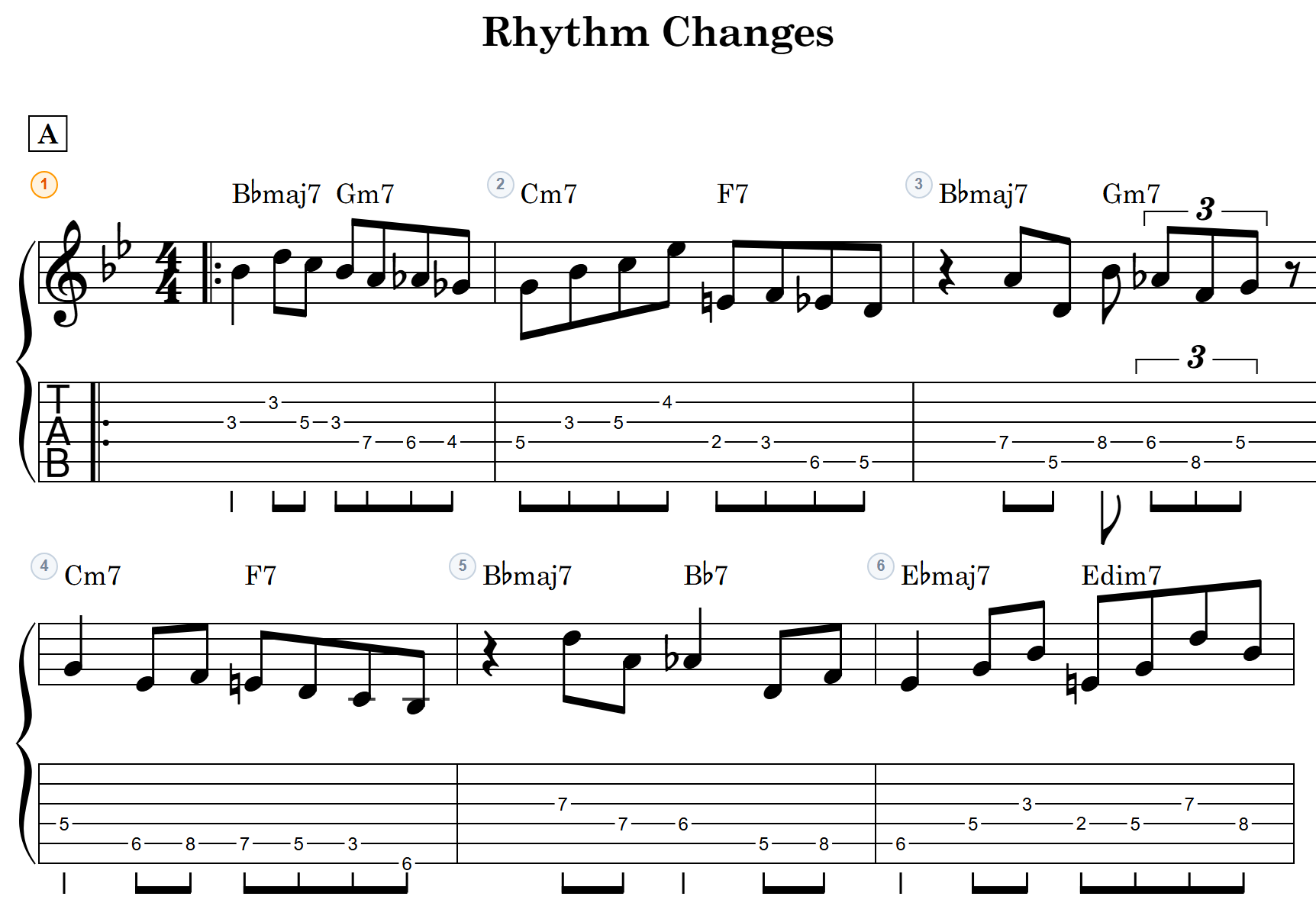
Even if you don’t want to learn a complex notation app, notave lets you input phrases intuitively.
The built-in “TAB Input Mode” lets you navigate and write directly on the TAB staff using just your keyboard:
- Number keys (0–9): Enter fret numbers (two-digit numbers supported)
- Arrow keys (←→ / ↑↓): Move between beats and strings
- H / P / B: Add hammer-ons, pull-offs, bends, and other articulations with a single key
If you’ve used Guitar Pro or similar software, this will feel immediately familiar. Bends (half-step, whole-step, etc.), harmonics, staccato, and other articulations that are tedious to write by hand are all rendered in proper notation.
2. Find chord voicings you didn’t know existed
This is notave’s biggest advantage over general-purpose TAB editors.
Want to play Em7 in a higher position? Need the top note to match a melody? Even if you don’t know the fingering, notave will suggest voicings automatically from the chord name.
- Select a root note (C, D, E…) and chord type (maj7, m7, 7sus4, etc.)
- A list of voicing candidates appears, generated from music theory
- Tap the one you like to add it to your TAB
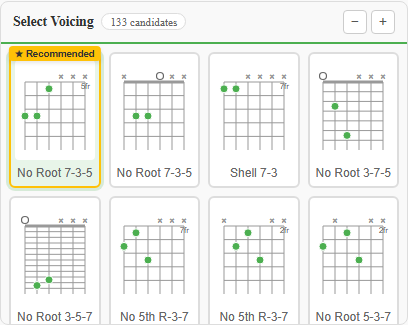
This isn’t just a chord dictionary. It generates multiple candidates using practical algorithms — Drop 2, Drop 3, rootless, 5th-omitted voicings and more.
You can also narrow results by top note with the “Top Note Filter,” and voicings that connect smoothly with surrounding chords (natural voice leading) are marked as “Recommended.” For exploring new voicing options or discovering smoother voice leading, this is an invaluable tool.
3. Hear what you wrote — or share it as a video
With handwritten TAB, you won’t know if it sounds right until you play it. In notave, you can play back your score instantly.
- Set any BPM, with swing playback support
- Built-in metronome (all beats / 2 & 4 / upbeats) and count-in
Want to post a TAB playback video to social media or YouTube? No screen recording needed. notave exports scrolling MP4 videos directly from the app.
- YouTube (16:9), Shorts (9:16), and Square (1:1) formats
- Audio included — guitar sound and metronome clicks
- Chroma key (green screen) background for overlaying on performance footage
Print-ready PDF output and data save/load (JSON) make sharing with bandmates simple too.
Note: Video export and print output currently include a watermark. Watermark-free output is being opened up to everyone step by step.
What’s free, and what’s being opened up
notave is free to use. A sheet holds up to 100 measures (8 while signed out), so everything from a quick phrase memo to a finished tune stays free. The paid Pro plan is closed to new subscriptions, and the features that used to be Pro-only are being opened up to everyone step by step.
- Available now: TAB creation and voicing suggestions, JSON save and load, cloud storage (up to 3 sheets), video export and print (with watermark), MIDI and MusicXML import
- Being opened up: watermark-free output, longer sheets (up to 300 measures), a higher cloud storage limit, MIDI and MusicXML export
The current status is on the notave page. Repeat signs and D.S. al Coda (interpreted correctly during playback) and the chord chart view are free regardless of sheet length.
Wrap-up
notave is a web app that goes beyond simple TAB creation — it suggests complex chord voicings for you, all within the browser.
If you want to capture a phrase before you forget it or discover new chord sounds, head over to notave.zelva.dev and give it a try. No install required — start right now.