A collaborative sheet music editor for bands
Write one score together, right in your browser. Set the chords and the structure, then each member fills in their part on their own time. No install, and you can try it right now without signing in.
Chords in, demo out — try the auto-draft →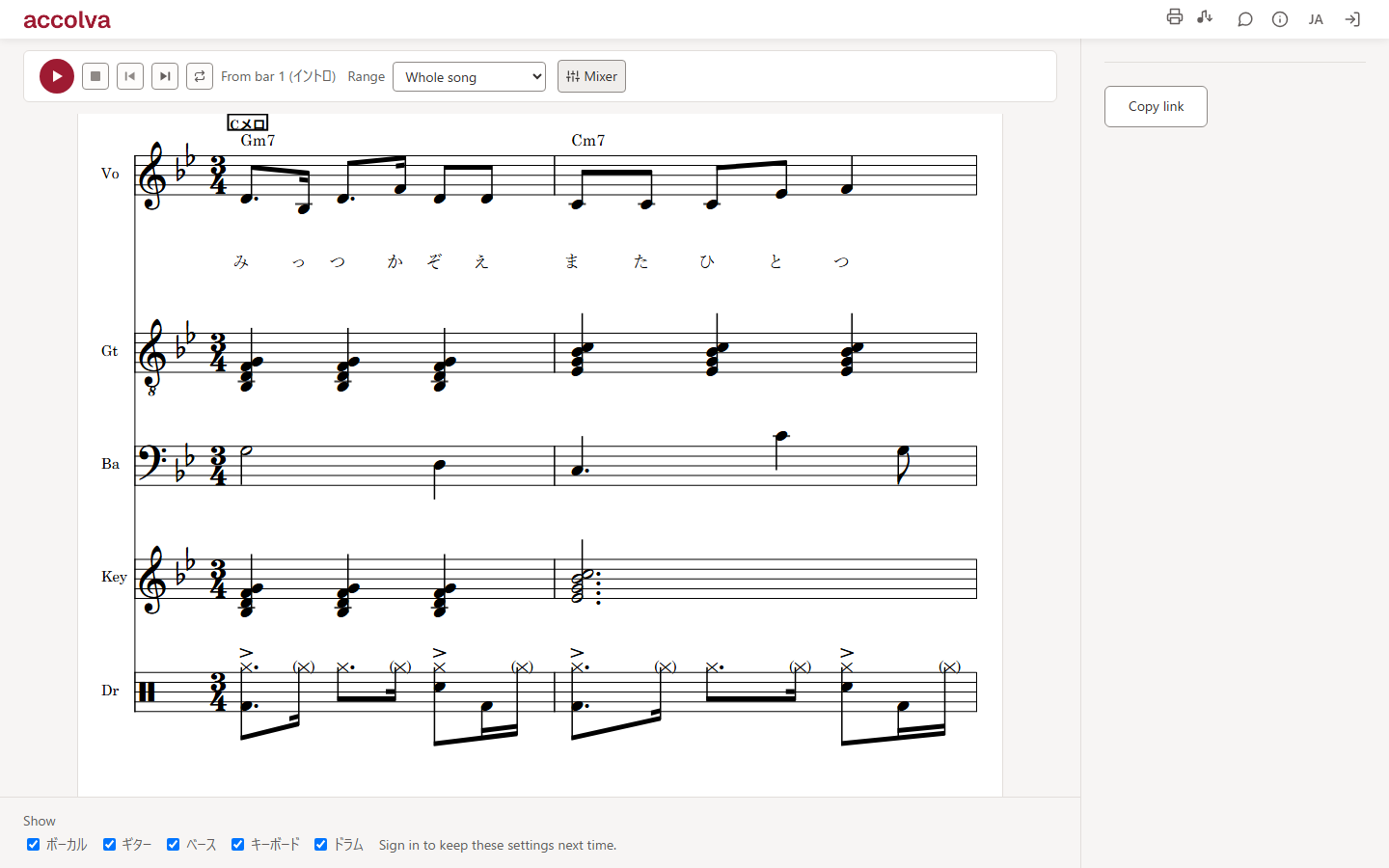
Arranging only moves forward inside the rehearsal studio.
Photos of charts and voice memos pile up in the group chat, and nobody knows which one is current.
Everyone has their own notes, but nobody holds the whole song.
accolva solves all of it — with one band score.
The whole band, on one score.
Instead of separate part sheets, you write a score: vocals, guitar, bass, keys, and drums laid out in parallel. Every part can be decided while looking at what the others are doing right now — that is where agreement comes from.
Chords in, demo out.
You don’t have to start from a blank page. Put down the chords, pour in a draft for each part, and you have a demo you can play right away. Every press deals a different combination, so re-roll as often as you like — then finish it by hand from wherever you land.
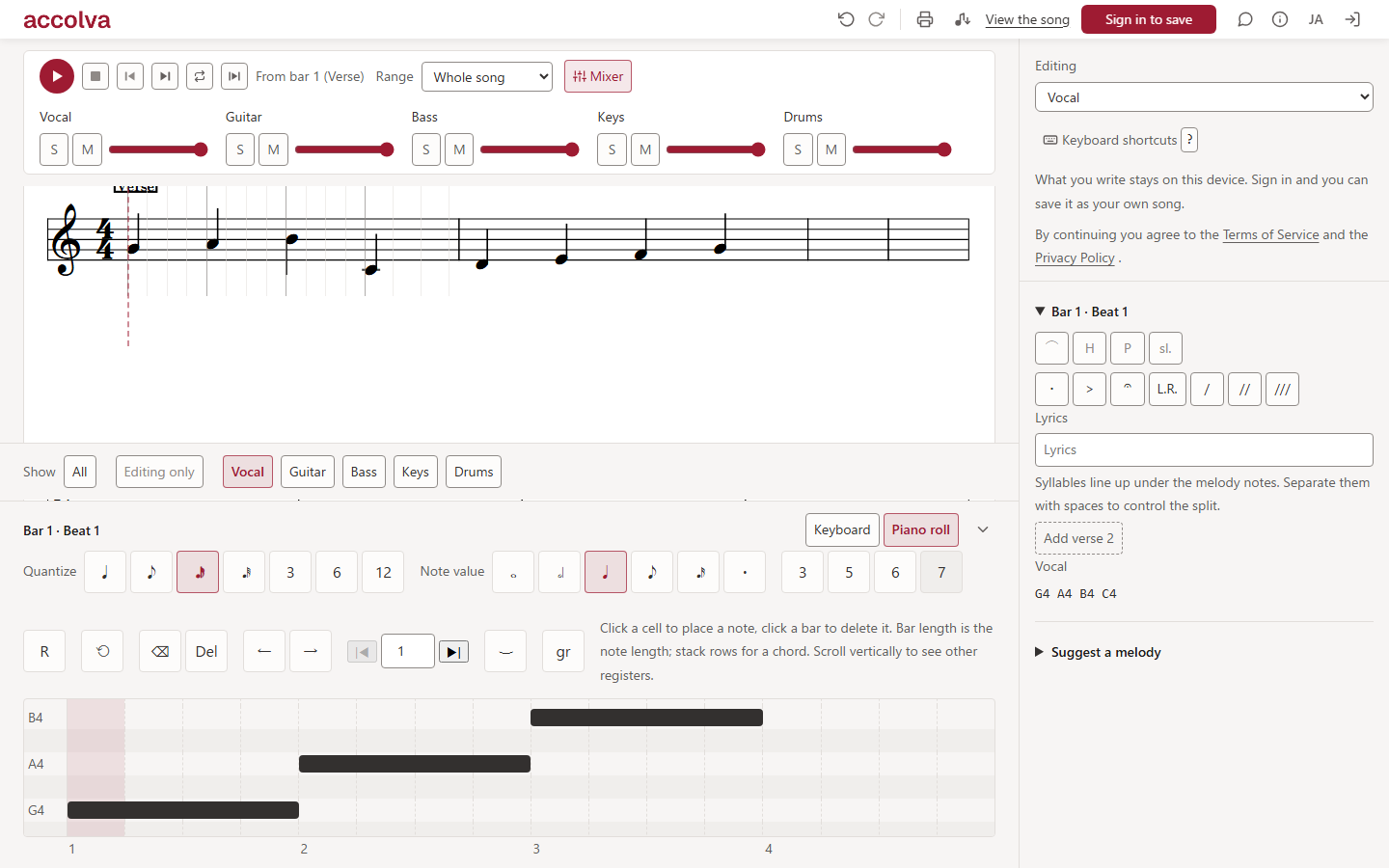
Pick the input that fits your hands.
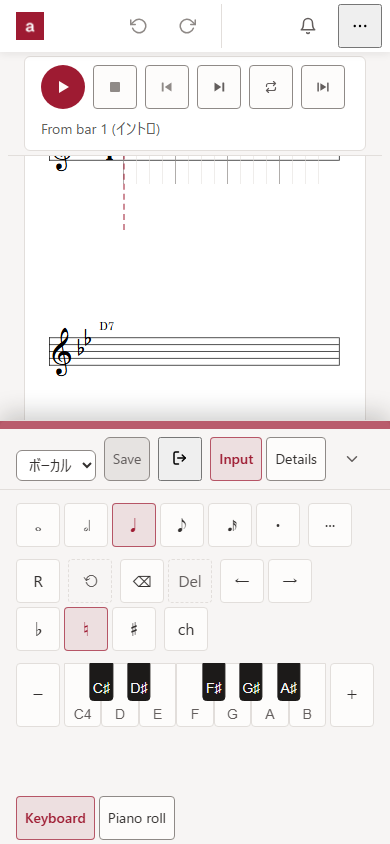
You write into the bar the cursor is on, and you choose the tool: a keyboard, a piano roll, a fretboard grid, or a drum grid. Whichever you use, it all lands in the same single model.
Keyboard: type note names (A–G). Press a lit key again to delete it
Piano roll: click a cell to place, drag the bar’s edge to change its length
TAB: one tap on the string × fret grid. Drums get a one-bar grid
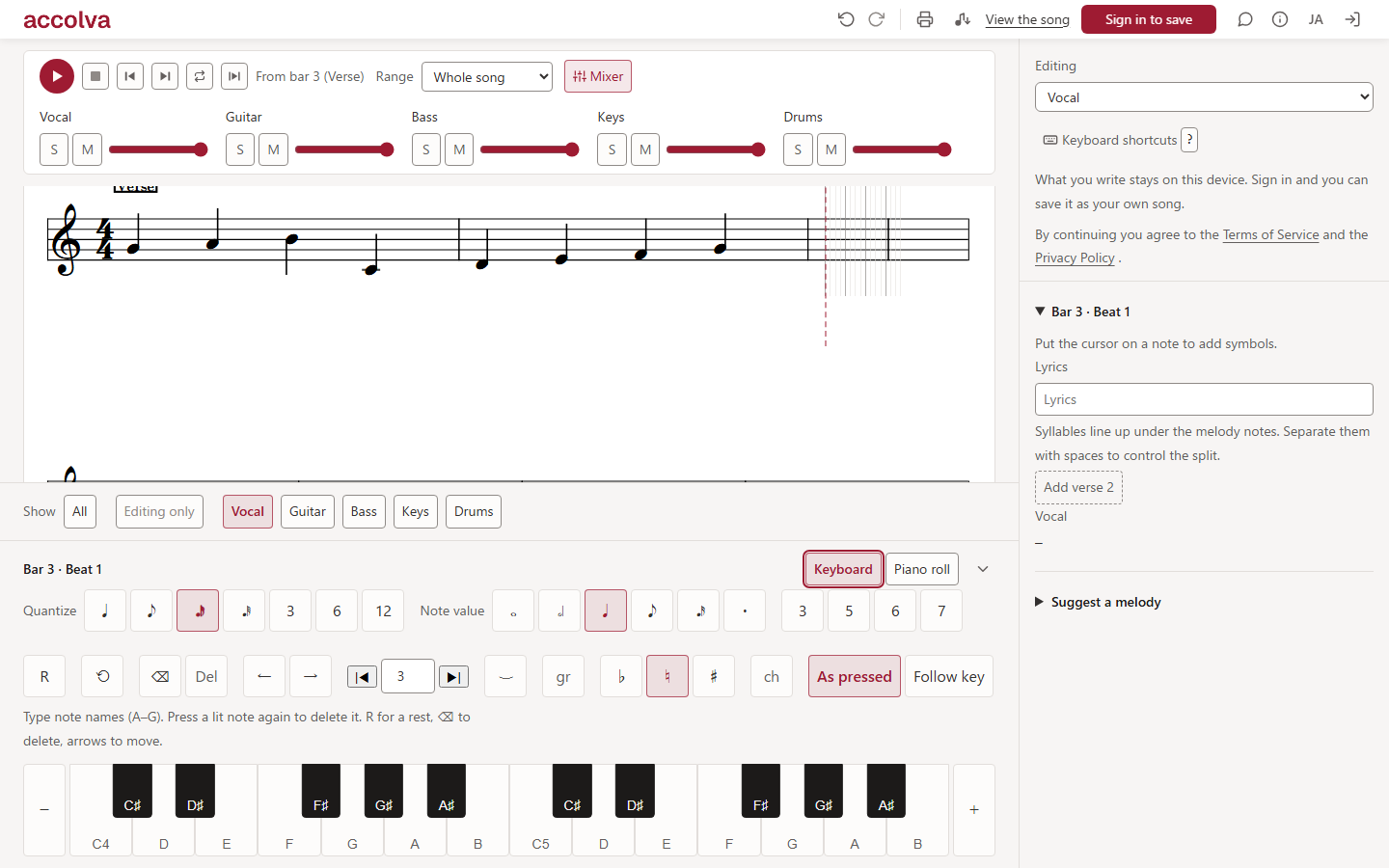
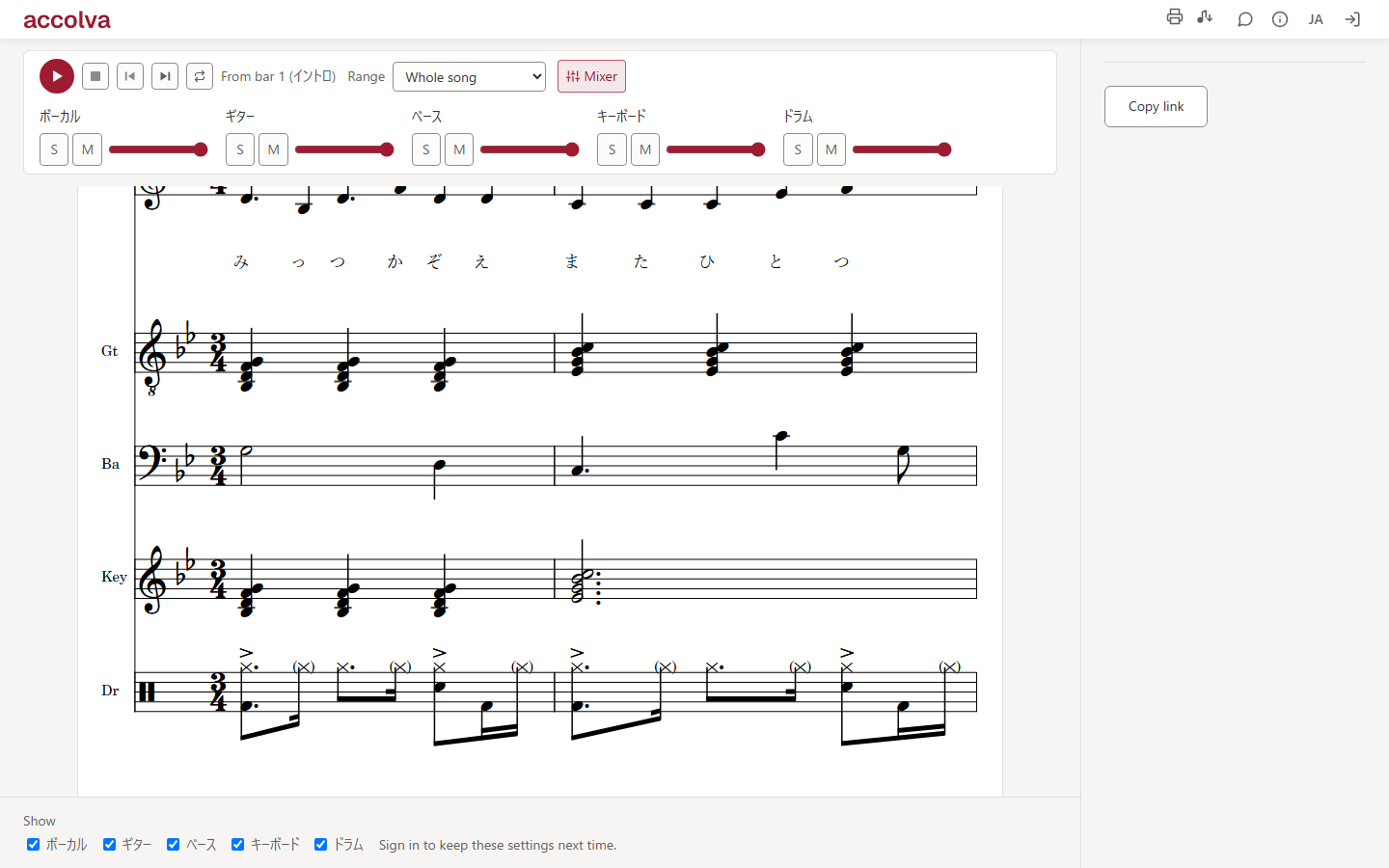
It plays what you wrote.
Not an auto-generated backing track — the notes on the page are the notes you hear. So the paper and the sound never disagree. The sounds ship with the app.
Start from a file, leave with paper and MIDI.
Start from a blank score, or from a file you already have — import MIDI or MusicXML and the score is there. When it is finished, print A4 part sheets and carry it into the studio, or export MIDI and keep producing in your DAW.
Import MIDI and MusicXML (.mxl too) — you see what will be quantized and what will not fit before the song is created
A4 print — on-screen marks (cursor line, ruler) never reach the paper
MIDI (SMF) export, with repeats already unrolled
Show only some parts and print — that is your part sheet
Made for bands like these
We don’t want to burn our two studio sessions a month on talking.
Working adults in a band
Time together is scarce. Share the chords and the structure beforehand, and the studio is for playing.
We want our own arrangement on top of the cover before the show.
College music clubs
Change the key, shorten the solo, add harmonies — write each decision into the score as you make it, so everyone rehearses from the same page.
The arrangement is in my head — I need a way to hand it over.
The member who brings the songs
Instead of a demo and a verbal walkthrough, hand over a score with the chords and a draft of every part. The others start by fixing their own.
We can rarely get everyone in the same room.
Bands living apart
Editing is asynchronous. Everyone writes in their own spare time, talks it over in bar comments, and the song has moved by the next time you meet.
How it works
Start a song (no sign-in needed)
Set a title, tempo, and key, and start writing right away — or load a MIDI or MusicXML file you already have and start from that score. When you like it, sign in and keep it as your own song.
Write the structure and the chords
Lay out sections — intro, verse, chorus — and put the chord progression over them. You can also pick from well-known progressions.
Put the performance in
Write each part yourself, or pour in a draft from the chords and edit it. You can also ask for a melody idea.
Share, play, print
Hand the link to your band. Everyone fixes their own part, you play it back to check, and take it out as A4 and MIDI.
notave and accolva
Pick by who you are writing for: yourself, or your band.
accolva — one score, as a band.
A tool for laying every member’s part on one band score and writing it together.
notave — TAB, quickly, on your own.
A tool for writing and collecting guitar and bass TAB by yourself. It also exports video.
See notaveRequirements
- Runs in the latest Chrome or Edge, on desktop and phones (no install)
- Instrument sounds are built in — no plugins, nothing extra to download
- An internet connection is required
Pricing
accolva is free to use.
Keep up to 5 songs. There are no feature limits — score, sharing, comments, playback, A4 printing, and MIDI export are all included. You can try it without signing in.
Open accolvaFAQ
Do I need an account?
Not to try it. What you write stays on your device, and signing in with a Google account saves it as your own song.
Do I need to install anything?
No. It runs in the browser. The instrument sounds ship with the app, so there is nothing else to set up.
Is it free?
Yes. accolva is free to use, and you can keep up to 5 songs. There are no feature limits — score, sharing, comments, playback, A4 printing, and MIDI export are all included.
Can we edit the same song at the same time?
Not the same screen at the same moment. Saving is per part, and locks are held per bar — so the same song can move forward on different parts at once, and even on one part as long as you are in different bars. Nobody ever overwrites a change they never saw.
How is this different from notave?
notave is for writing guitar and bass TAB quickly, on your own. accolva is for laying every member’s part on one score and writing it together. The difference is whether you are writing for yourself or for a band.
Can I bring in a score made in another program?
Yes — accolva imports MIDI (.mid) and MusicXML (.musicxml, .xml, .mxl). Load a file exported from MuseScore, Finale or a DAW and it becomes a band score with one staff per part. Before the song is created you are shown how many notes will be quantized so they can be written, and how many will not fit (velocity is never carried over; chords and lyrics come across from MusicXML).
How is this different from notation software like MuseScore?
For engraving-quality, publish-ready scores, dedicated notation software is the right tool. accolva covers the work of agreeing on one score as a band: share a link, everyone writes their part, play it back, and print A4 part sheets — all in the browser.
Who can edit what?
Anyone in the band can edit the song. The bars someone is editing are locked, so two people never overwrite the same thing (their name is shown on the score over the bars they hold). A link can be set to one of three levels: band only, anyone can read and comment, or anyone can edit.
Where is my music stored?
While you are trying it without signing in, it stays on your device, in the browser. Once you sign in, it is saved to your account and you can open it from another device.
Can I write on a phone?
Yes. On a narrow screen the score takes the lead and the input pad docks along the bottom edge. The score stays big enough to follow with a finger, and you can still touch it while the pad is open.
Where do I send feedback or bug reports?
Use the speech-bubble button in the app header. It works whether or not you are signed in.
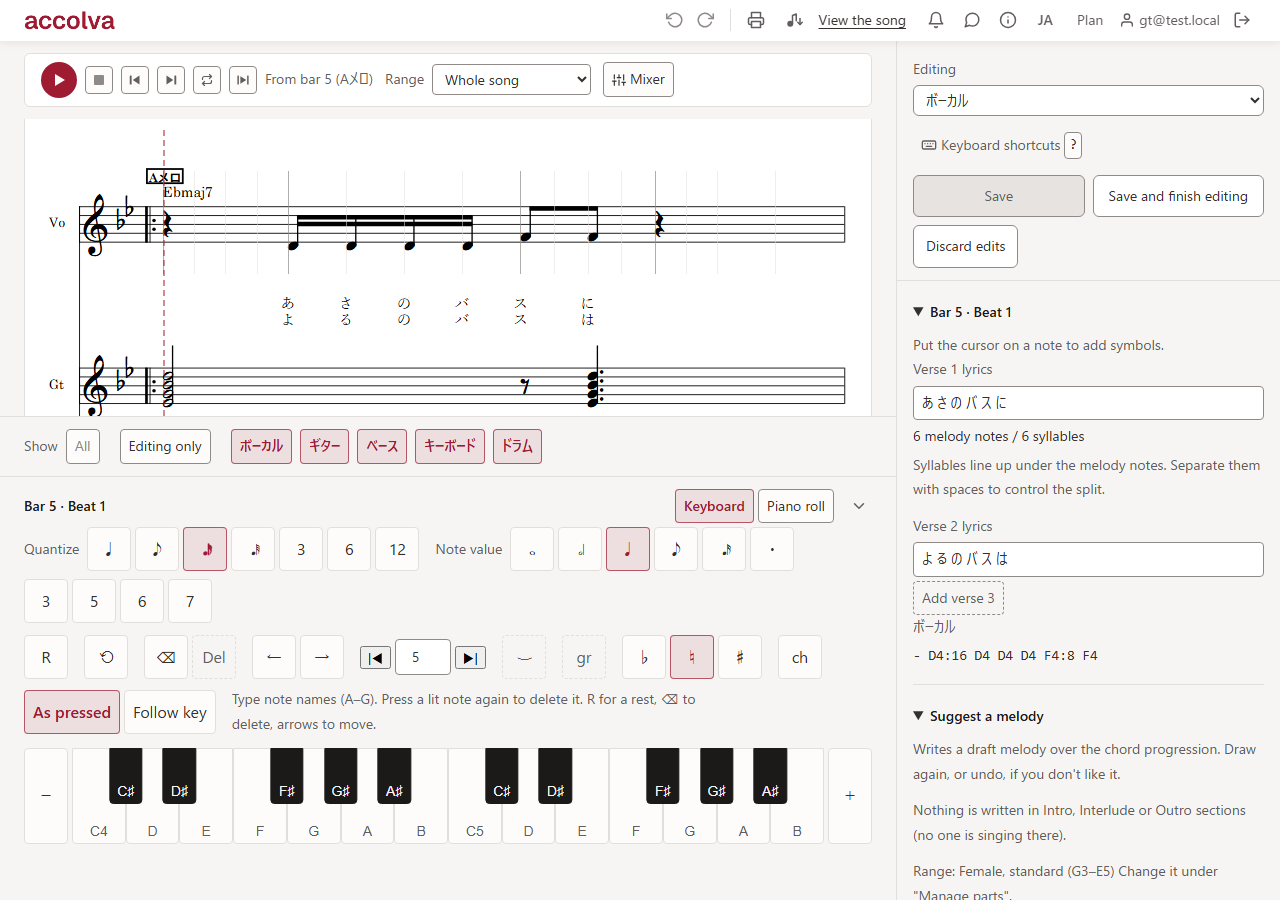
Finish the arrangement before you walk into the studio.
Start free