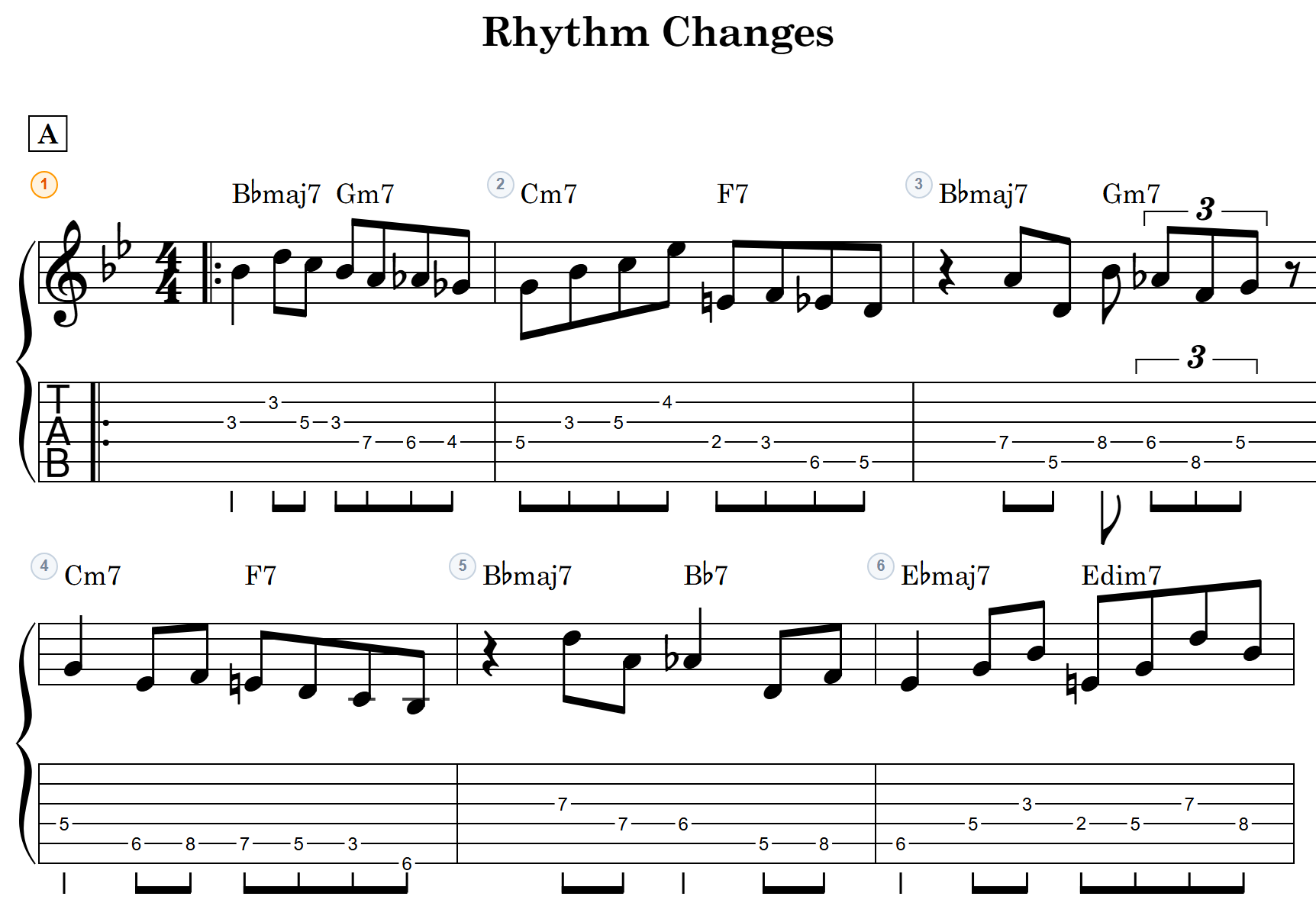
Ever stalled halfway through writing out a slap line?
Phrases that alternate between real notes and ghost (dead) notes are hard to recall later if you can’t get them on paper. Until now, notave treated ghost as one entry in the technique list — “Muted” — so you couldn’t combine it with slap or pop. A thumb-slapped dead note simply had no way to be written.
This update fixes that, along with a broader pass over techniques.
Ghost notes now stack with other techniques
Ghost has moved out of the technique list and become an independent toggle, so you can combine it with slap, pop, or tap.
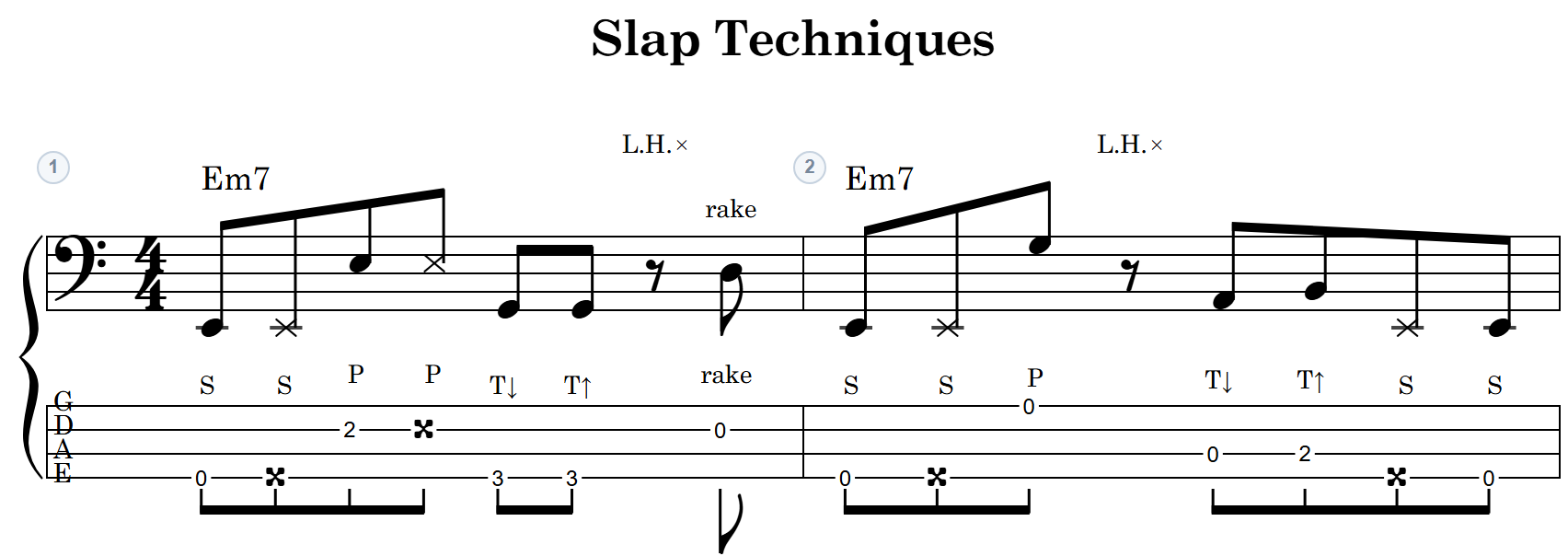
- Slap + ghost = a dead note struck with the thumb
- Pop + ghost = a dead note plucked with the index finger
The label changed from “Muted” to Ghost. In TAB input, press X to toggle it; it’s also on the TabPad (the mobile input pad) and in the technique panel.
Playback changed too. Ghost notes used to be silent — now they sound as a damped percussive hit, with the texture varying by attack technique. You can hear a rhythm built around ghost notes straight from the chart.
MIDI export behaves as before: ghost notes are not written as sounding notes, so what reaches your DAW is still just the real pitches.
New techniques for bass
Thumb ↓ / Thumb ↑ (double thumbing)
Downstroke and upstroke of the thumb can now be marked separately, shown as T↓ / T↑ in the TAB. Modern slap lines driven by a back-and-forth thumb can be written exactly as they’re played.
L.H. slap
A percussive hit with the fretting hand, notated as L.H. ×.
There’s often no pitch at that moment, so L.H. slap can also be attached to a rest. Placing the hit on the rest itself lets you write a slap groove that mixes notes and percussion without having to fill in the rests.
Rake (guitar and bass)
A drag across the neighboring strings, muted, landing on the target note. It’s notated as rake, and on playback the muted neighboring strings lead in briefly before the real note lands.
Rake is available on both guitar and bass.
The palette now matches the instrument
The technique palette is per-instrument. Bass charts gain Thumb ↓ / Thumb ↑ and L.H. slap; guitar charts don’t show them. No more scanning past options you’ll never use.
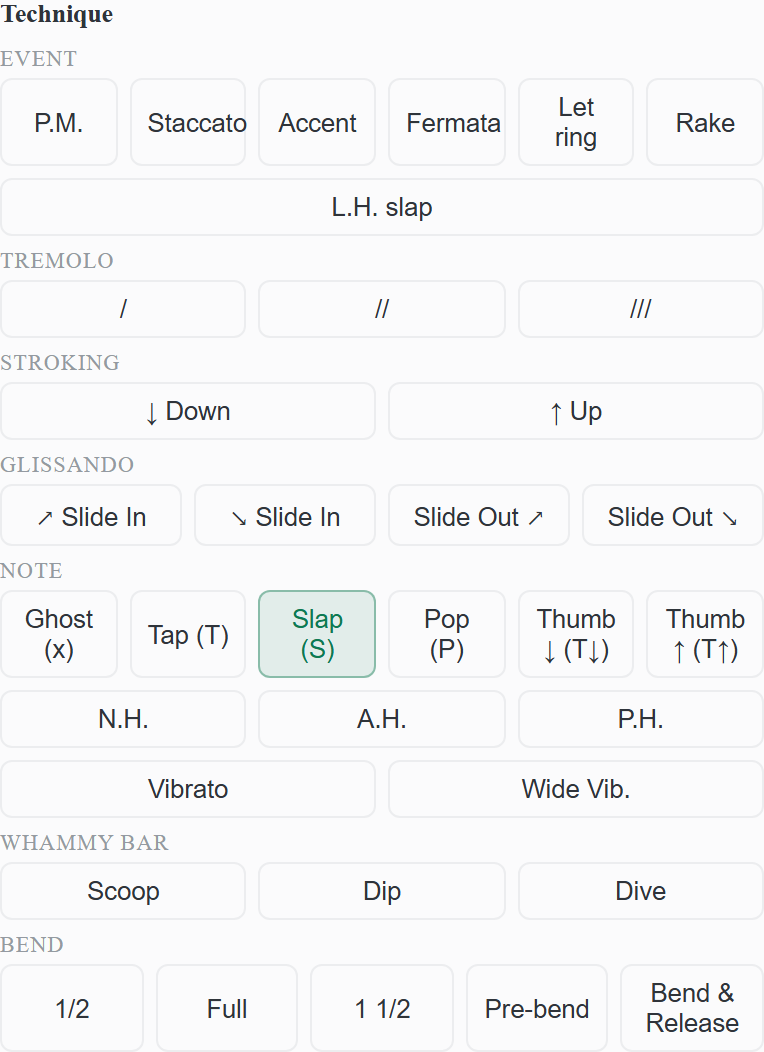
The filter applies to the input palette only. Techniques already present in a chart are still displayed, played back, and exported on any instrument, exactly as before.
Existing charts and share links still open
The save format was updated, but there’s nothing to migrate. Notes saved as “Muted” are converted to ghost automatically when the chart opens, and charts opened from a share link are handled the same way.
Export
MusicXML export carries T↓ / T↑, rake, and L.H. through as annotations, so the technique markings survive the trip into other notation software.
Fixes
- Fixed an issue where playback could stop partway through with certain combinations of techniques and grace notes.
Everything here is live in notave now. No install — open it in your browser and try it.
For the basics of writing bass TAB, see Create bass TAB.